


Best Controllers for Call of Duty: Black Ops 7

Call of Duty: Black Ops 7 is built around fast reactions, snappy aim and precise movement. Your skill matters most, of course – but the controller in your hands can absolutely make or break a gunfight.
Below are some of the best controllers for Call of Duty, grouped by platform and playstyle, with direct product links.
What to Look for in a Black Ops 7 Controller
Before we dive into specific models, here are the features that matter most in Call of Duty:
- Fast triggers – short or adjustable trigger travel means faster shots in close-range gunfights.
- Accurate thumbsticks – for smoother tracking, recoil control and precision sniping.
- Extra buttons / paddles – map jump, slide, melee, reload or tac sprint so your thumbs stay on the sticks.
- Good grip & comfort – ranked sessions can last hours; your hands shouldn’t tap out before you do.
- Low-latency connection – wired USB or strong Bluetooth/2.4 GHz wireless for responsive inputs.
Now, let’s match those needs to real controllers you can buy from your store. To maximise your controller’s performance on a gaming laptop, optimising your system can make a big difference - check out our gaming laptop optimisation guide for tips on performance and maintenance.
Best Controllers for Black Ops 7 on PS5
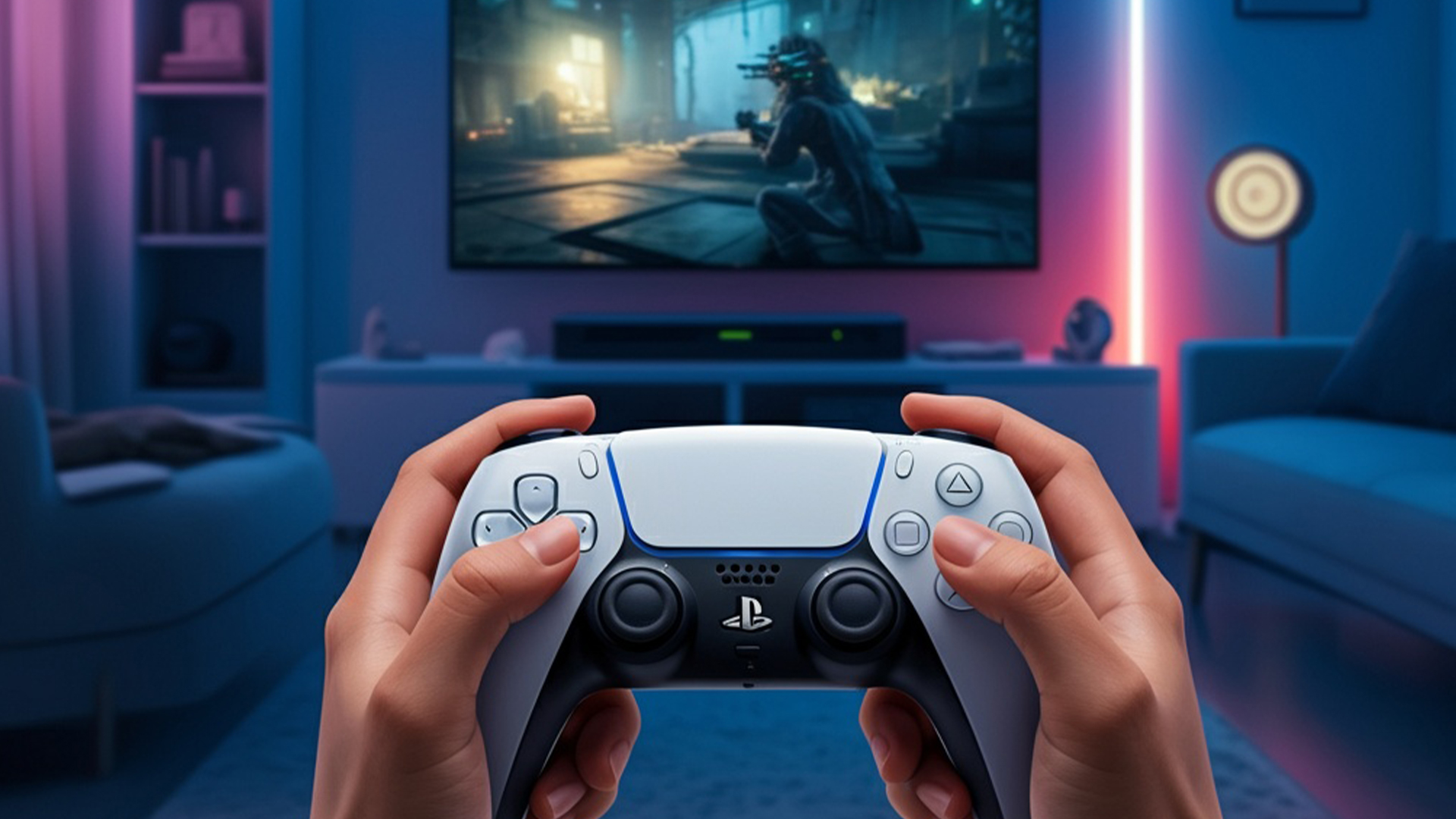
1. SonyDualSenseWireless PS5 Controller (Midnight Black / Colours)
If you’re playing Black Ops 7 on PS5, your first stop should be the official Sony DualSense. It’s not just the standard pad – it’s actually really good for COD.
Shop it:
Why it works so well for Call of Duty:
- Adaptive triggers & haptic feedback make every shot, explosion and slide feel more immersive – great for reading gun recoil and on-screen chaos.
- Comfortable shape and weight help in long Ranked or Zombies sessions.
- Built-in mic & 3.5mm jack are handy for quick comms without a separate USB dongle.
If you mainly play on PS5 (and maybe occasionally on PC via USB-C/Bluetooth), a DualSense is the most natural choice and an easy recommendation for “best controller for Call of Duty” on Sony’s side.
Best Controllers for Black Ops 7 on Xbox & PC

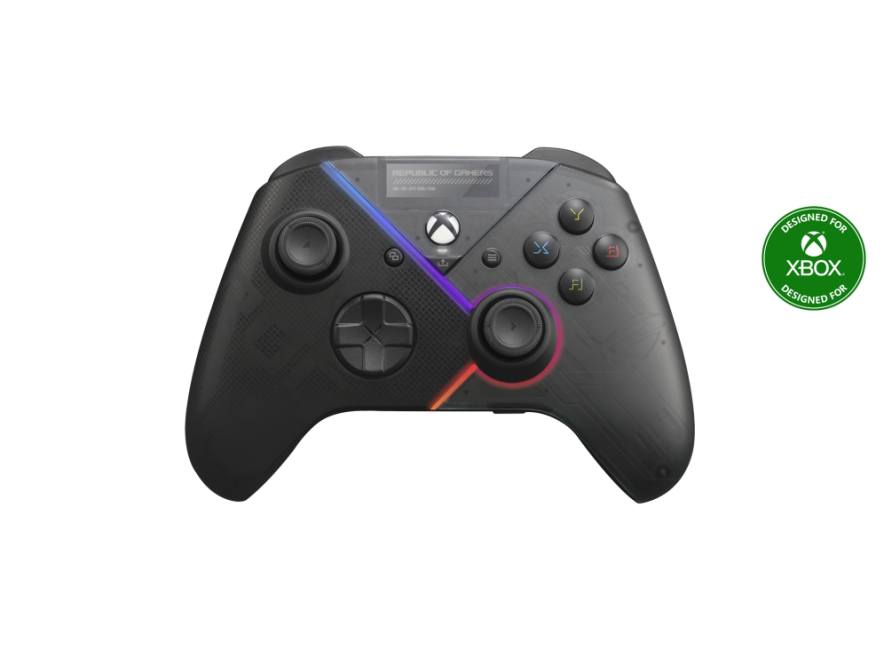
2. ASUS ROGRaikiriWired Game Controller (PC & Xbox)
If you play Black Ops 7 on PC or Xbox and want a tournament-style wired controller, the
ASUS ROG Raikiri Wired Game Controller (90GC00X0-BGP000) is a brilliant shout.
Why it’s great for COD:
- Selectable step triggers let you shorten the pull, which is ideal for semi-auto rifles and quick-scoping.
- Rear controls give you extra inputs for slide-cancel, jump, melee or tac sprint without lifting your thumbs.
- Wired USB connection = zero charging worries and ultra-low latency – perfect for competitive lobbies.
If you’re serious about Ranked on PC or Xbox, Raikiri gives you a pro-feel pad at a very reasonable price point. If you’re pairing a controller with a gaming laptop and aren’t sure which rig to choose, this gaming laptop comparisons guide helps you pick the right system for your playstyle.
3. ASUS ROGRaikiriPro Wireless (Refurbished – Xbox & PC)
Want the Raikiri DNA but with wireless freedom and more features? Check out the refurbished ASUS ROG Raikiri Pro XBOX/PC Wireless Gaming Controller.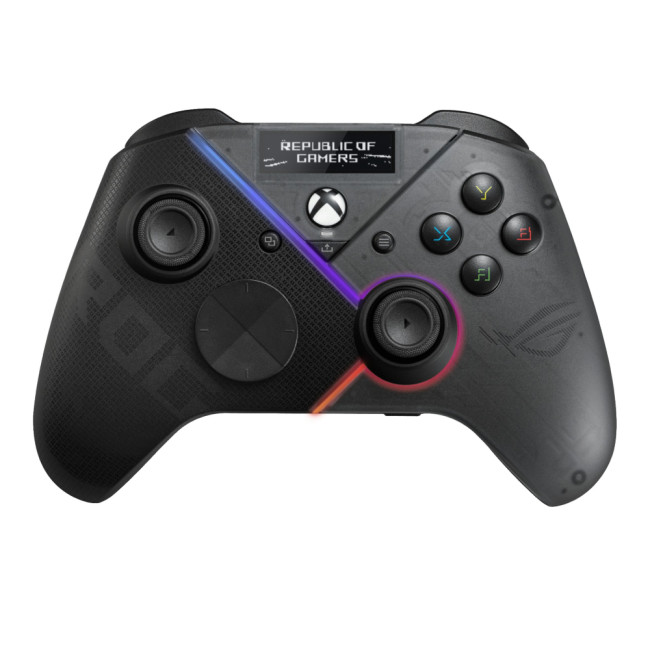
Key reasons it works nicely for Black Ops 7:
- Tri-mode connectivity – USB-C, 2.4 GHz RF and Bluetooth 5.0 support Xbox and Windows setups flexibly.
- Four rear programmable buttons – brilliant for mapping jump, reload, lethal and tactical equipment.
- Built-in OLED display for quick profile switching and status.
- Integrated DAC & audio controls so you can plug a headset into the controller and tweak audio on the fly – handy in search-and-destroy when listening for footsteps.
If you want a feature-rich, premium-feel COD controller and don’t mind going refurb to save money, this is a very strong pick.
4. MSI Force Pro Wireless Gaming Controller (Xbox & PC)
For players who want Elite-style customisation without buying an actual Elite pad, the
MSI Force Pro Wireless Gaming Controller is a beast for the price.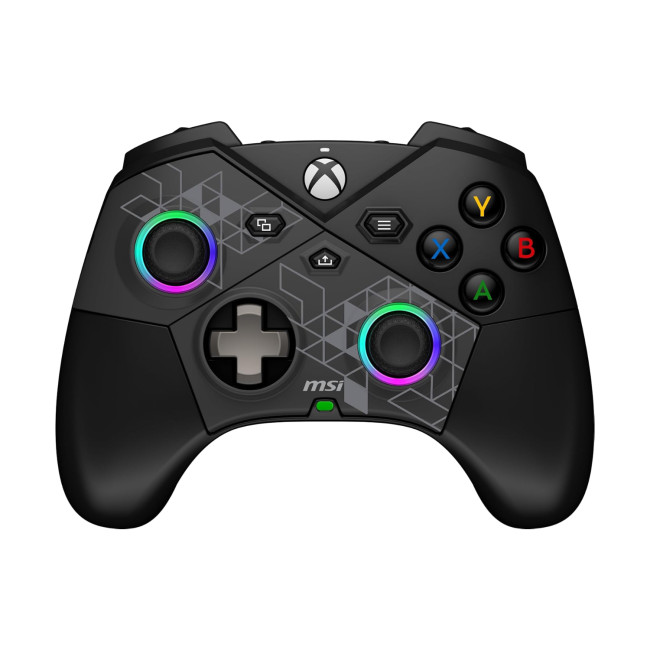
Why it stands out for Black Ops 7:
- Auto-calibrating interchangeable thumbsticks – choose your stick height and feel for AR beams vs. sniper flicks.
- Built-in drift correction and Hall effect triggers for consistent, smooth inputs over time.
- Four programmable rear buttons for movement and reload shortcuts – exactly what you want in a fast-paced shooter.
- Up to 48 hours battery life (no lighting/vibration) – ideal if you grind Ranked all weekend.
If you’re looking for one of the best controllers for Call of Duty on Xbox/P/PC that still feels like good value, MSI’s Force Pro is a top contender. While controllers are essential for console-style play, don’t forget your mouse and keyboard options - read our take on the best gaming keyboard and mouse for alternative setups.
5. ThrustmasterESWAP X R Pro Forza Horizon 5 Edition (PC & Xbox)
Yes, it’s branded around Forza – but underneath the racing skin, the Thrustmaster ESWAP X R Pro Controller Forza Horizon 5 Edition is a serious modular pro pad that also works brilliantly for shooters.
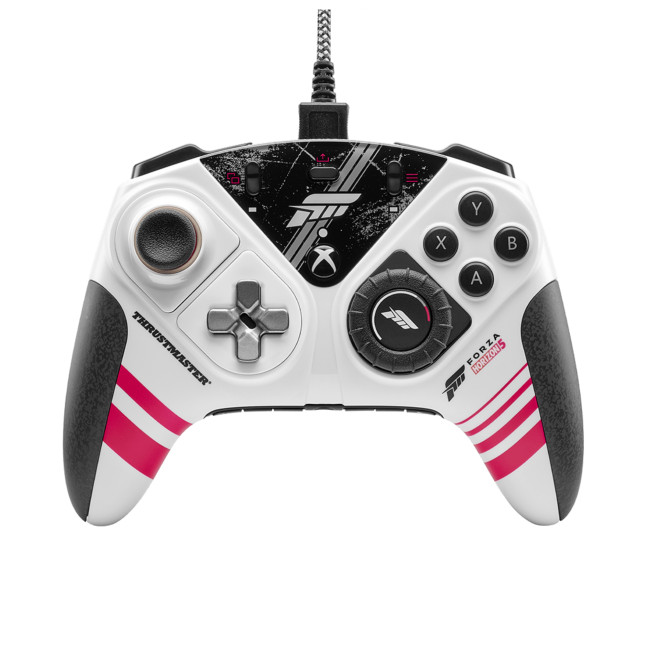
What makes it COD-friendly:
- Mechanical face buttons that are up to 64% faster than typical membrane buttons – less input lag on jump-shots and drop-shots.
- Hot-swap modules (sticks, D-pad, “racing wheel” module) so you can tailor the layout to your preference.
- Deep customisation via ThrustmapperX on Windows/Xbox: adjust sensitivity curves and trigger response to match your Black Ops 7 loadouts.
- Wired USB for stable, low-latency play.
If you love tinkering with your setup and want a controller you can physically reshape for different games, ESWAP is one of the most fun options.
6. Mad Catz C.A.T. 7 Wired Controller (Budget PC/Xbox Pick)
Need something more affordable but still feature-rich? Mad Catz The Authentic C.A.T. 7 Wired Game Controller is a clever budget-friendly option for Black Ops 7 on PC or Xbox.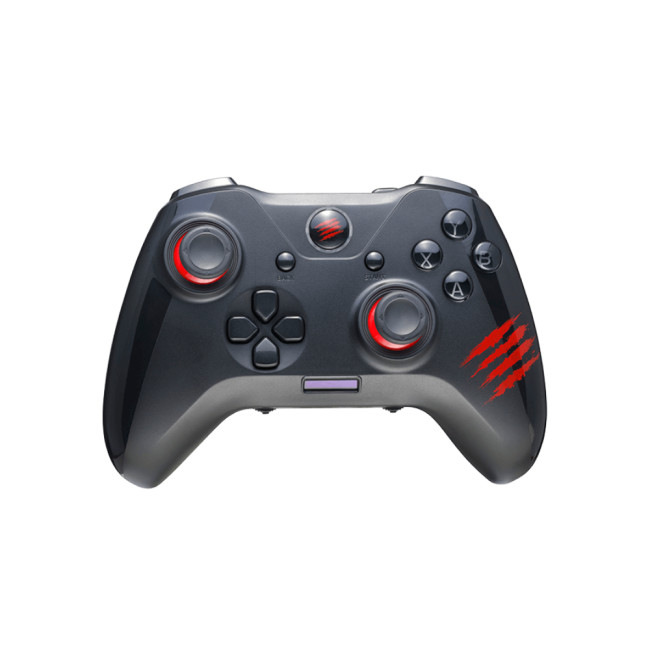
Highlights for COD players:
- Six additional programmable tact buttons – great for mapping reload, melee, lethal, tactical and more.
- Two profiles + macro settings stored on-board via the built-in OLED display – you can set one profile for Multiplayer and another for Zombies or Campaign.
- Wired USB connection for dependable responsiveness.
If you’re looking for “best controller for Call of Duty on a budget”, C.A.T. 7 is an easy recommendation from the Laptop Outlet range.
7. MSI Force GC300 Wireless (PC & Xbox, Stylish All-Rounder)
The MSI Force GC300 Wireless Gaming Controller – Black and its White variant give you a solid, comfortable COD controller with modern tech at a mid-range price.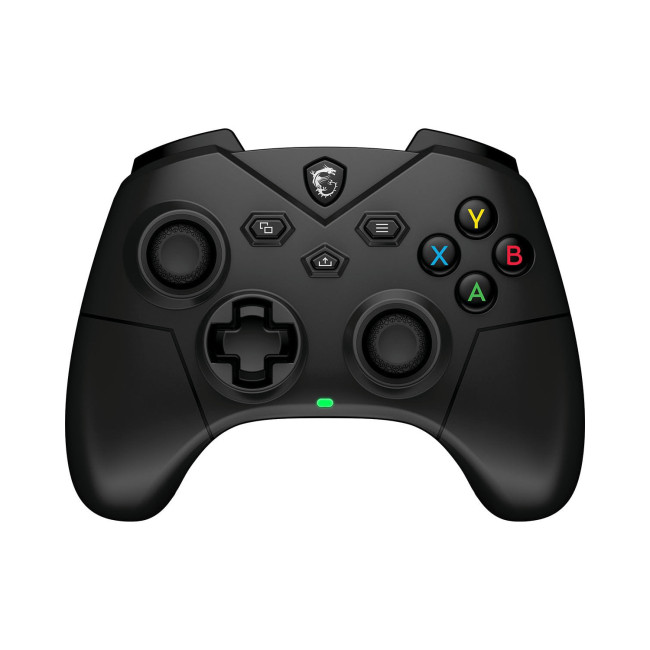
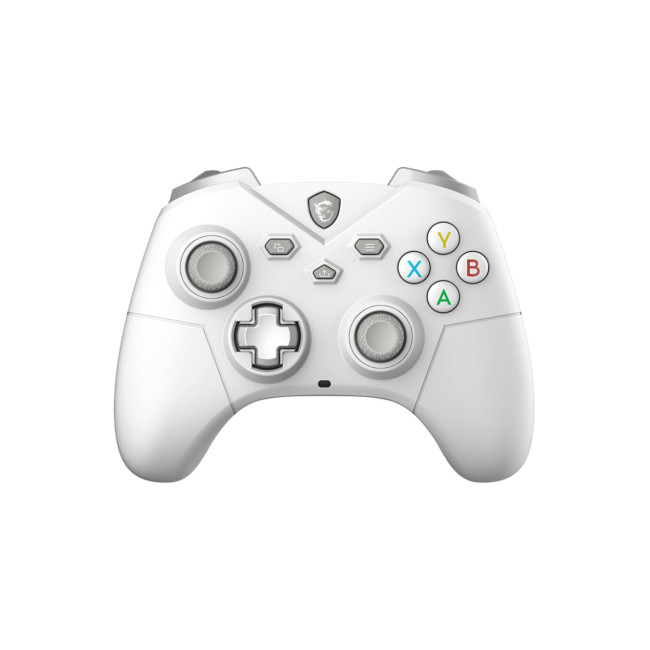
Why it works well for Black Ops 7:
- 2-level Hall effect triggers for smoother, more controlled firing.
- Two programmable rear buttons – perfect to remap jump or slide.
- 2.4 GHz wireless, Bluetooth and USB-C wired support for multiple platforms.
- Dual vibration motors for immersive hit feedback and explosions.
It’s a great all-round pad if you want quality feel and flexibility without going fully into “pro controller” territory.
8. Microsoft Xbox Wireless Remix Special Edition (Xbox & PC)
If you like the classic Xbox form factor with a twist, the
Microsoft QAU-00114 Xbox Remix Special Edition Green Controller is also available via Laptop Outlet.

It keeps the familiar Xbox layout COD players love, with Bluetooth/USB connectivity and the usual responsive triggers and sticks – ideal if you want something simple, official and reliable.
Best Controllers for Call of Duty on Mobile & Cloud

Black Ops and Warzone experiences aren’t limited to console and PC anymore, a lot of players jump into matches via cloud gaming or mobile versions. For that, a good phone controller is essential.
9. Razer Kishi V2 (Refurbished – iPhone)
If you play Call of Duty or cloud-streamed games on an iPhone, the
Refurbished Razer Kishi V2 Universal Mobile Gaming Controller for iPhone turns your phone into a mini handheld console.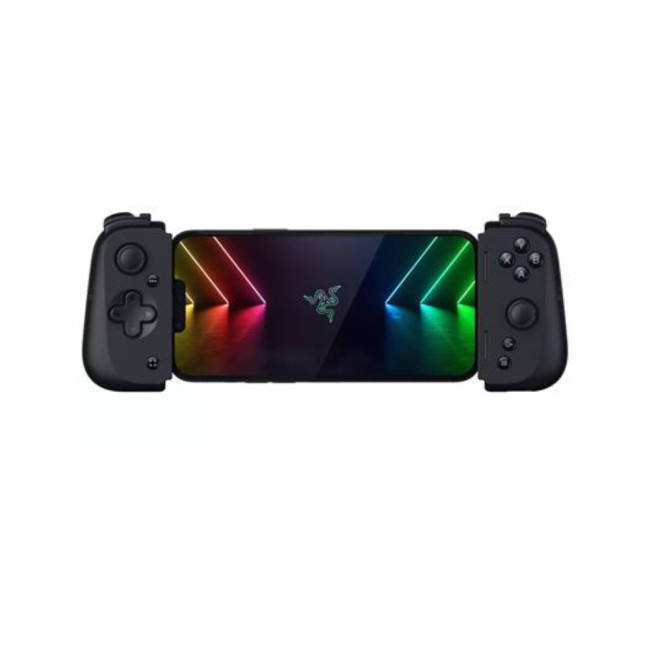
Why it’s great for mobile COD:
- Direct USB-C/Lightning style connection (depending on device generation) for lower latency than Bluetooth controllers.
- Console-style sticks and buttons – much more accurate than touch controls for aiming and movement.
- Compact, phone-grip design means you can grind matches on the train, sofa or anywhere else.
Perfect if you’re serious about Warzone Mobile or remote-playing your console/PC.
10. Acer Nitro NGR400 USB-C Mobile Controller (Android & iPhone 15+)
For Android users and newer iPhones with USB-C, the
Acer Nitro NGR400 USB-C Mobile Gaming Controller is another excellent pick.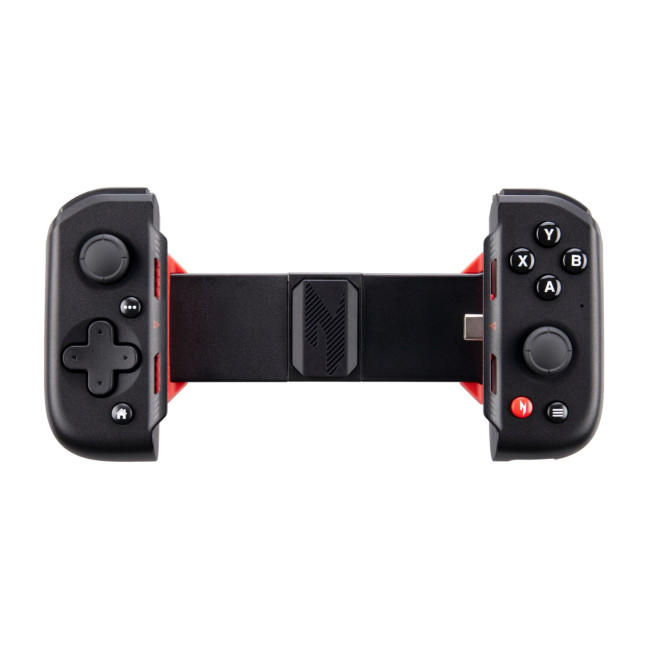
Key perks:
- Foldable, portable design – easy to throw in a bag and play COD wherever you are.
- USB-C connection with support for devices up to 8.3", Android 9.0+ and iPhone 15 series, making it ideal for cloud gaming and remote play.
- Standard dual-stick layout that feels familiar if you’re used to Xbox/PlayStation pads.
Great if you want a single controller that handles both mobile COD and other USB-C games or cloud services.
Which Controller Should You Pick for Black Ops 7?
Here’s a quick match-up based on how you play:
- PS5 COD Grinder
→ Go for a Sony DualSense. Simple, official, and built for the console.
- PC/Xbox Competitive Player (Ranked & Sweaty Lobbies)
→ ASUS ROG Raikiri Wired or
→ MSI Force Pro Wireless for more customisation.
- Customisation Nerd / Layout Tinkerer
→ Thrustmaster ESWAP X R Pro FH5 Edition with modular parts and deep software tuning.
- Value Hunter on Xbox/PC
→ Mad Catz C.A.T. 7 or
→ MSI Force GC300 Wireless.
- Mobile / Cloud COD Player
→ Razer Kishi V2 (Refurb iPhone) or
→ Acer Nitro NGR400 USB-C Controller.

Quick answers at a glance
Which controller is best for competitive play in Black Ops 7?
For highly competitive players on PC or Xbox, the ASUS ROG Raikiri Wired controller is one of the best options. Its adjustable triggers, rear programmable buttons and low-latency wired connection make it ideal for fast gunfights and precise movement.
What’sthe best controller for Black Ops 7 on PS5?
The Sony DualSense Wireless Controller remains the most optimised choice for PS5. Its adaptive triggers, responsive sticks and enhanced haptic feedback provide excellent control in Call of Duty multiplayer and Zombies.
Available in colours such as:
Is a wired or wireless controller better for Call of Duty?
Wired controllers generally offer lower latency, which is ideal for ranked play and competitive modes. Models like the Thrustmaster ESWAP X R Pro and ROG Raikiri Wired are excellent choices.
However, high-quality wireless models such as the MSI Force Pro Wireless still deliver strong performance with the convenience of untethered play.
What affordable controller is good for Black Ops 7?
If you're on a budget, the Mad Catz C.A.T. 7 Wired Controller is a strong option. It includes programmable tact buttons, a built-in OLED display and low-latency wired performance, great value for COD players.
Can I use a mobile controller for Call of Duty or cloud gaming?
Yes! If you’re playing Black Ops 7 through cloud services or COD Mobile, controllers like the Razer Kishi V2 (Refurbished) or Acer Nitro NGR400 USB-C Mobile Controller turn your phone into a handheld gaming setup with console-grade controls.
Razer Kishi V2
Acer Nitro NGR400

Final Thoughts
The best controller for Call of Duty isn’t just about brand, it’s about how well it matches your platform, playstyle and budget.
From pro-style pads like the ROG Raikiri and MSI Force Pro, to all-rounders like the DualSense and GC300, to mobile options like the Razer Kishi V2 and Acer Nitro NGR400, Laptop Outlet already stocks everything you need to make Black Ops 7 feel smoother, sharper and more competitive.
Related Articles

Last Updated: June 03, 2025
Do you want to unleash the full gaming potential of your PS4 controller? You can hook up your PlayStation controller with mobile phones to elevate your gameplay. Read on to find out how you can do it.
Mobile gaming has significantly evolved over the last few years and isincreasingly popular. No matter what age group you belong to, it is clear that everyone makes the most out of their spare time by playing games on their smartphones or tablets. While gaming PCs and consoles are still the top-notch choice of dedicated gamers, Android devices offer an immersive gaming experience.
You can experience the thrill of gaming wherever you go, owing to the exceptional features of the latest gaming mobile phones. While touchscreen controls have advantages, they must improve dedicated gaming controllers' precision and familiarity. Likewise, game developers also have customised touchscreen controls for their games, but countless titles demand Bluetooth-connected game controller devices. This
Last Updated: May 08, 2026
The gaming laptop has gone from niche curiosity to mainstream must-have. What used to be a heavy, noisy substitute for a desktop is now a versatile machine capable of running AAA titles, handling content creation, and serving as an everyday workhorse. In 2025, the choice of gaming laptops is wider than ever: slim ultrabooks with RTX graphics, desktop-replacement giants with mechanical keyboards, and AI-ready systems designed for creators and gamers alike.
For buyers, this abundance is both exciting and confusing. Should you invest in the new RTX 50-series GPUs? Is a 14-inch model powerful enough, or should you go for an 18-inch powerhouse? What about cooling, display refresh rates, or upgrade paths? This gaming laptop buying guide will help you make an informed decision. By combining industry research, market insights, and practical tips from reviewers and experts, we’ll help you understand how to choose the right gaming laptop, what features matter, and where to find the best value.
1.
Last Updated: October 06, 2025
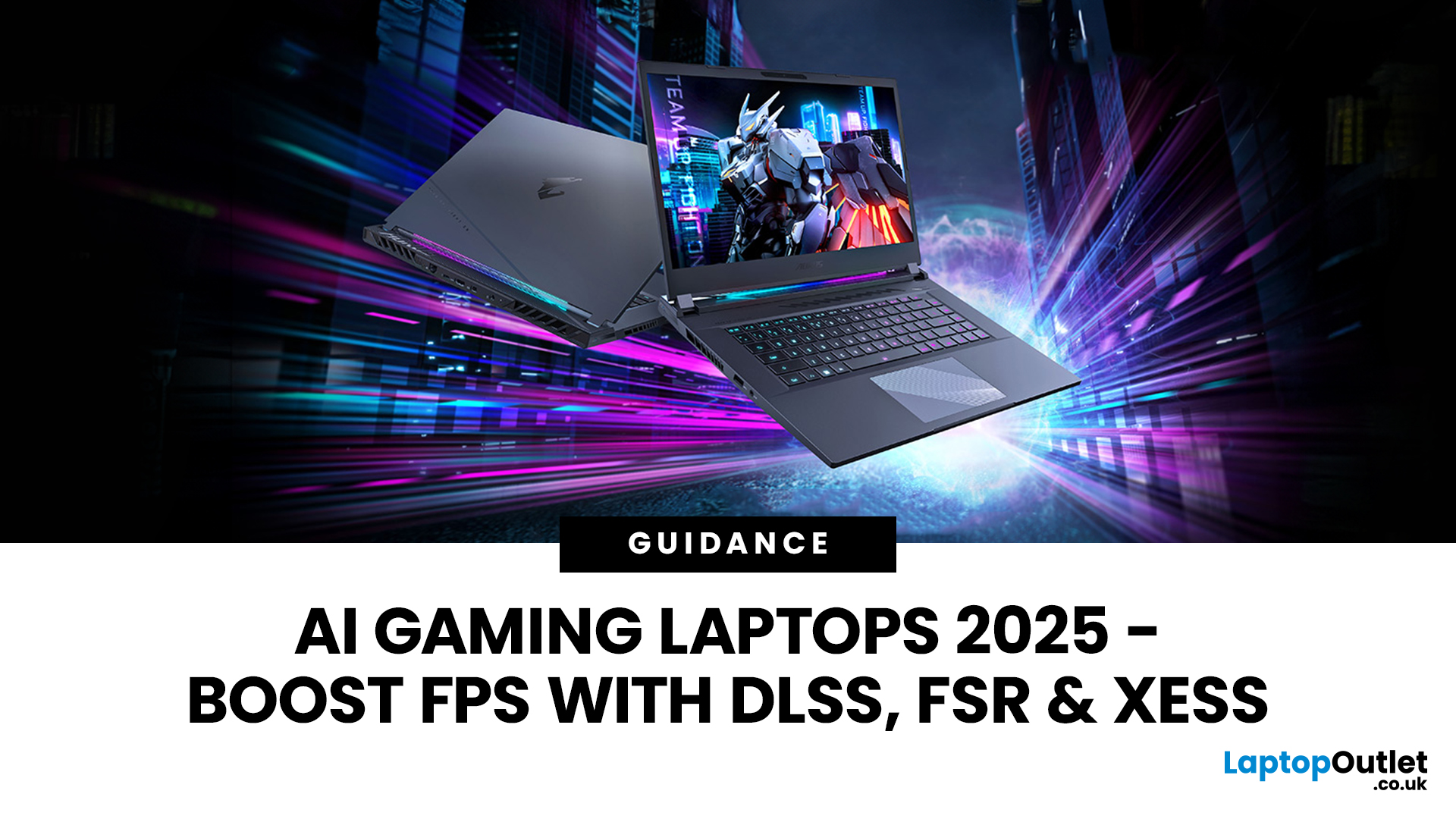
Gaming laptops have come a long way from the bulky machines of a decade ago. Today, they’re not just slimmer and more powerful - they’re also smarter, thanks to the rise of AI frame generation. Technologies like NVIDIA DLSS 3/4, AMD FSR, and Intel XeSS are transforming how games run, letting laptops push out smoother frame rates without needing desktop-level power.
So what exactly does that mean for you? In short: higher FPS, better visuals, and the ability to enjoy demanding titles like Cyberpunk 2077 or Starfield on the go, without watching your laptop choke.
In this guide, we’ll break down how AI frame generation works, why AI gaming laptops are the future, and which models in 2025 are worth your money. Think of it as your roadmap to boosting FPS with DLSS, FSR, and beyond - all while keeping your gaming portable.
What Is AI Frame Generation?
At its core, AI frame generation is all about teaching your graphics card to do less, while making your games look like it’s doing more. Sounds

Last Updated: March 04, 2026
When shopping for a powerful desktop, many gamers wonder if CyberPowerPC for gaming is a reliable choice. Known for its customisation options and competitive pricing, CyberPowerPC has built a reputation as one of the top brands for prebuilt gaming desktops in 2025. With a wide variety of configurations, from entry-level esports rigs to high-end gaming PCs designed for 4K and VR, the brand offers flexibility that appeals to casual players and enthusiasts alike.
This guide explores CyberPowerPC performance, reliability, benchmarks, and value for money, helping you decide whether a CyberPower system is the right fit for your gaming needs.
Why Choose CyberPowerPC for Gaming?
Performance Across Price Points
CyberPowerPC offers a wide range of gaming desktops, from budget-friendly esports machines to RTX 5060/5070-powered beasts. This means you can find a PC tailored to your budget without compromising on the essential components needed for smooth gaming.
Prebuilt Convenience
Unlike custom
Last Updated: February 24, 2026
Choosing the right gaming laptop in 2025 comes down to striking a balance between raw power, intelligent features, and future-ready design. With Windows 11 now fully optimised for AI-powered performance, Auto HDR, and DirectStorage 1.2, gaming has never been smoother or more immersive. Pair that with the latest NVIDIA RTX 40 and 50-series GPUs, and you get a portable machine that rivals desktop-level experiences.
This guide explores the best Windows 11 gaming laptops with RTX graphics, helping you understand which models deliver the most value for gamers in different categories — from budget RTX 4060 machines to ultra-premium RTX 5090 rigs. Whether you’re into esports, AAA titles, or content creation alongside gaming, these laptops are designed to keep up with your demands.
Why Windows 11 Gaming Laptops with RTX Graphics Stand Out
AI-Driven Gaming Features
Windows 11 laptops in 2025 integrate Windows Game Mode, Copilot, and AI-based resource management. Together, they ensure your CPU
Last Updated: November 06, 2025
Black Friday looms like a seasonal ritual for tech buyers. But savvy gamers and PC buyers know the real trick: knowing when to strike. If you wait too long, your ideal machine sells out. Buy too early, and you risk missing deeper discounts. So, when is the sweet spot for grabbing a gaming laptop or desktop in the run-up to Black Friday 2025?
To make your moves with confidence and avoiding any post sale regrets go with proper timelines, pricing trends and a close observation of brands behaviour.
The Black Friday Phenomenon — What Really Happens (UK + Global Context)

Black Friday isn’t just one day anymore. In the UK, the period around it has swollen into a deal season: late October to early December. Retailers - including Laptop Outlet UK - now launch pre-Black Friday promotions to capture early shoppers and test pricing strategies.
In practice: major discounts often appear 2–3 weeks before the official Friday, with stacking coupons, flash sales, and stock-limited offers. Then on the
Last Updated: April 27, 2026
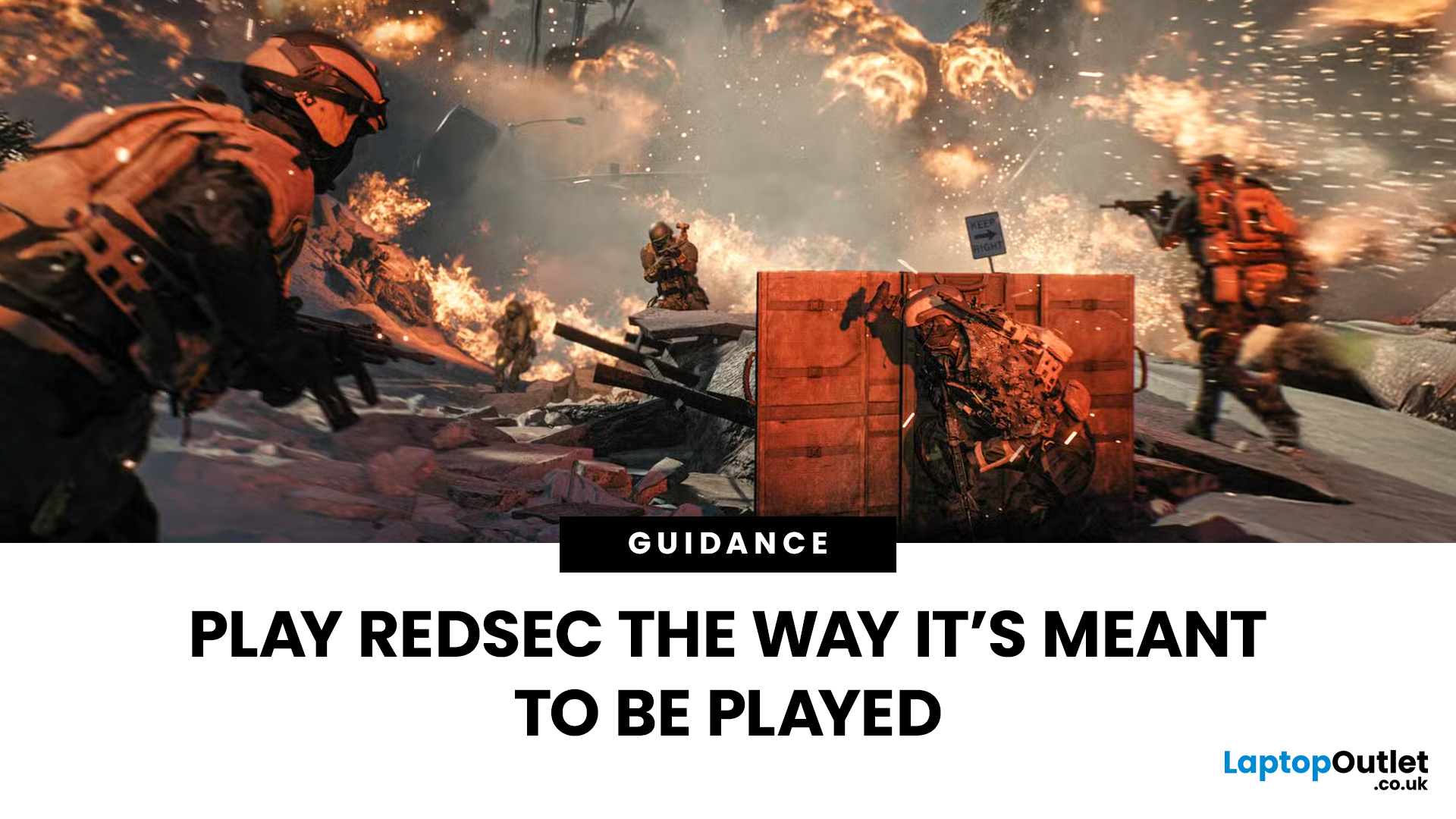
If you’re eyeing Battlefield 6: RedSec, you’ll need a gaming machine that can keep up with the chaos — massive maps, realistic destruction, dynamic weather, and next-gen lighting that make every firefight feel alive. RedSec pushes the Battlefield series further than ever, demanding serious power for smooth, high-FPS gameplay.
Whether you’re storming across a vast battlefield or holding a control point under heavy fire, your system can’t afford to lag or stutter. That’s why we’ve shortlisted 10 of the best gaming machines for Battlefield 6: RedSec in 2025. These laptops and PCs deliver the frames, responsiveness, and stability you need to stay sharp when the battle gets chaotic.
Top 5 Gaming Laptops for Battlefield 6 RedSec
1. Acer Predator Helios 16 AI (RTX 5090)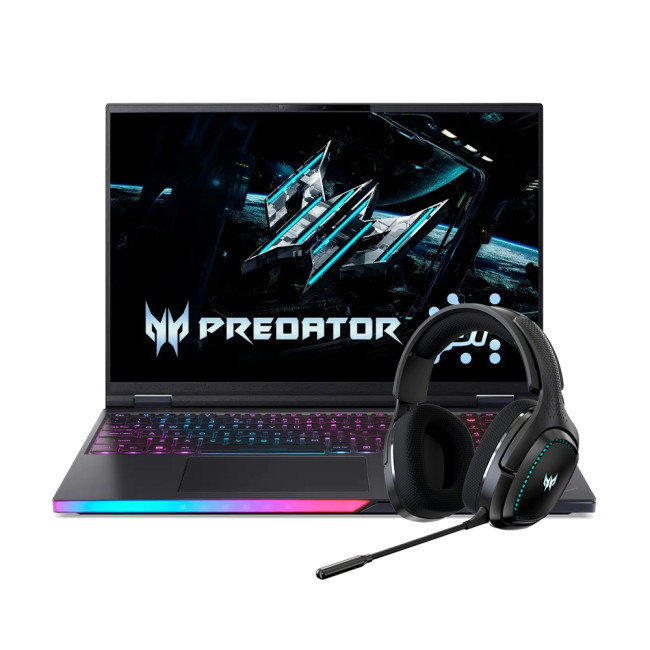
The Acer Predator Helios 16 is a true flagship, built for the gamer who accepts no compromise. It’s designed to handle the most demanding PC settings for maximum performance in RedSec.
Performance Breakdown
- Processor:

Last Updated: December 02, 2025
If you’re hunting for the best gaming laptops of 2025, you’re in luck; this year has delivered some of the most powerful, portable, and genuinely budget-friendly machines we’ve seen in years. With GPUs becoming more efficient, CPUs offering console-level performance, and cooling systems finally catch up. Gaming laptops in 2025 aren’t just powerful - they’re smart, stylish, and surprisingly accessible.
Whether you’re a casual player looking for smooth 1080p gaming, a competitive esports enthusiast chasing those 300+ FPS moments, or a hardcore creator-gamer hybrid who needs workstation-level power, there’s a machine built for you. The best part? You no longer need a king-sized budget to get impressive performance.
Welcome to your complete guide to the best gaming laptops of 2025 - sorted by budget, playstyle, and performance needs.
Budget Gaming Laptops (Under £800)

Perfect for casual gamers, students, first-time buyers, and those who want reliable FPS without blowing the bank.
1. Acer

Last Updated: December 12, 2025
If you are serious about PC gaming, esports, or even streaming, you will undoubtedly have heard the name HyperX. This brand is synonymous with high-quality, durable, and exceptionally comfortable gaming hardware. For nearly two decades, HyperX has set the industry standard for peripherals used by competitive gamers and everyday enthusiasts alike.
This comprehensive guide offers a complete HyperX brand overview. We will explore its origins, its current ownership under HP Inc., and break down the best HyperX gaming gear across all major categories. By the end, you will understand exactly what HyperX is about and why it remains the favourite choice for countless players globally.
The HyperX Brand Overview
To truly understand what HyperX is today, we must look at where it came from and how a massive industry shift led to a major change in ownership.
The Kingston Years (2002–2021)
HyperX was officially launched in 2002 as the high-performance division of Kingston Technology, a global leader

Last Updated: December 12, 2025
Setting up your new HyperX gaming laptop is one of the most exciting parts of stepping into PC gaming. If you've just unboxed your device and you're unsure where to begin, this beginner-friendly breakdown will walk you through everything you need to know. From optimising software to boosting cooling performance, you’ll find everything you need to unlock the full potential of your new machine. Many first-time gamers skip key setup stages, leaving their devices underpowered or inefficient. This guide ensures you’re not one of them.
1. Getting Started: The Essential First Steps
Before diving into settings and performance tweaks, it’s important to take care of the basics. Begin by connecting your laptop to a reliable power source. Gaming laptops, especially HyperX devices designed for high performance, require stable power for initial configurations and updates. Allow your system to complete its first-time boot optimally, as this ensures firmware, BIOS settings, and essential drivers are

