


Graphics Cards

Finance available
Free Delivery *
Finance available
Free Delivery *
Finance available
Free Delivery *
Finance available
Free Delivery *
Finance available
Free Delivery *
Finance available
Free Delivery *

Finance available
Free Delivery *
Finance available
Free Delivery *
Finance available
Free Delivery *
Finance available
Free Delivery *
Finance available
Free Delivery *
Finance available
Free Delivery *
Finance available
Free Delivery *
EXPLORE OUR COLLECTION OF GRAPHICS CARDS
A graphics card is necessary for any PC or laptop user who wants a smooth graphics experience. Whether you are into gaming, multimedia editing, or any other kind of graphics-intensive work, you need a graphics card for your PC. Moreover, a GPU for a laptop will do the job if you want to push your machine's limits with high-end visuals.
The Laptop Outlet collection features laptop and desktop graphics cards from top GPU brands, including ASUS, MSI, ZOTAC, and many more.
All the graphics cards available on Laptop Outlet use either NVIDIA GeForce RTX or NVIDIA GeForce GTX technology to provide industry-leading performance.
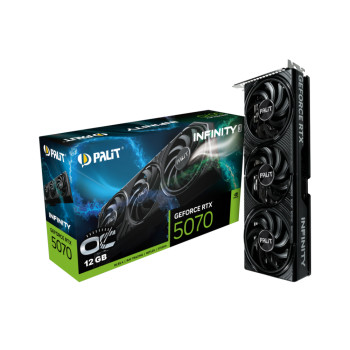
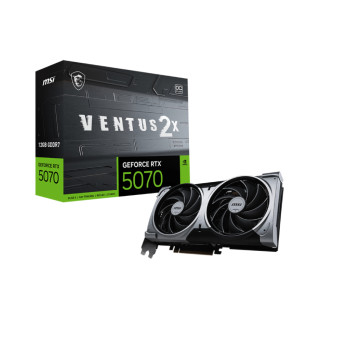
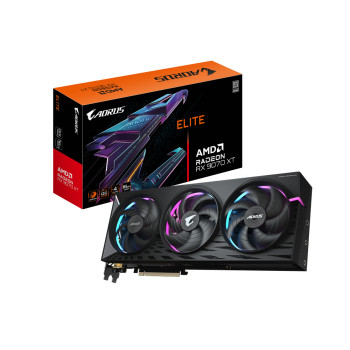
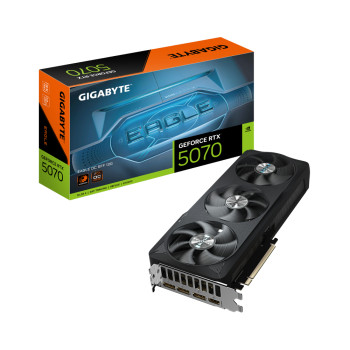
What's more? With the recent launch of the NVIDIA RTX 50 series GPUs, Laptop Outlet is excited to introduce a collection of RTX 5090 graphics cards, RTX 5080 graphics cards, RTX 5070 graphics cards, and more.
GRAPHICS CARDS FOR GAMING
A typical graphics card for a gaming PC is a distinct type of GPU that is well-aligned to deal with the high-intensity graphics of modern games. Advanced games come with 3D graphics, and you need a suitable graphics card for gaming to get the most out of your in-game play. Laptop Outlet houses a vast selection of the latest gaming graphics cards such as NVIDIA GeForce, Strix GeForce and various other high-end GPUs, enabling you to play your favourite games without lag. Check out our AMD and NVIDIA GPU deals to save huge on your favourite graphics cards.
GRAPHICS CARDS BUYING GUIDE
When it comes to buying a suitable graphics card to cater to one's multimedia requirements, there are some factors that you must consider to get the best value for money. Although it often becomes a confusing task to decide what factors matter most, you don't need to worry. We have crafted a list of specifications to pay attention to while buying a graphics card to ultimately land on the best product.
GDDR RAM
When it comes to graphics cards for gaming PCs or laptops, GDDR RAM is one of the most significant factors. GDDR (Graphics Double Data Rate) RAM is a specialised memory for fast rendering on graphics cards. Your GPU RAM differs from your system RAM for non-graphics-related processing operations. GDDR is the primary graphics RAM that is used in most GPUs nowadays. The thumb rule to follow here is that the more GDDR RAM your GPU has, the more efficiently it can render the graphics.
REFERENCE VS NON-REFERENCE GRAPHICS CARDS
Laptop Outlet contains an enormous collection of latest graphics cards, including reference and non-reference cards. Manufacturers like NVIDIA or AMD make the actual graphics cards for gaming PCs. After that, these cards are either directly sold to the consumer or to companies like MSI and ASUS, which modify the cards and sell their own versions. The cards from the manufacturers are called reference cards, while any modifications make them non-reference. Usually, reference GPUs come with one cooling fan, while most non-reference GPUs feature two to three cooling fans. So, depending on your system cooling needs, you can opt for either of these graphics cards.
CLOCK SPEED
The graphics card's clock speed is vital for gamers as it is directly linked with the frame rates per second of your system display. Besides gamers, GPU clock speed is also critical for multimedia editors, whose editing work demands high clock speed. Graphics cards for gaming feature high clock speeds to deliver a smooth and screen-tearing-free experience. If you already own a graphics card, testing its performance is an experience worth having. We would recommend that you test your graphics card's capabilities through any of the various tools available on the internet. This is a crucial setup that will greatly help you understand your graphics card's full potential. After analysing the tool's results, you can upgrade your graphics card if you think that it is necessary.
THERMAL DESIGN POWER (TDP)
This information about the graphics card correlates with the cooling system. The thermal design power of a graphics card indicates the amount of heat produced by a GPU, which needs to be profligately released into the environment by the cooling system under any workload. In place of TDP, you can also find the terms "Max power Draw", "Maximum Board Power", or "Power Envelope". To get the value of TDP, you can use a wattmeter plugged into the power supply unit. You will have to measure the power in idle mode and FurMark stability test mode. You can then calculate the value of TDP by subtracting the power value observed in FunMark test mode from the value noted in idle mode, and then the availed value should be further divided by the power supply's unity efficiency.
COMPATIBILITY
The most important thing you must consider while buying a graphics card for your PC or laptop is compatibility. If you own a powerful CPU, you can rely on a less powerful graphics card and still notice better performance. However, if your CPU is weaker, then you need to invest in a stronger graphics card to compensate. It is crucial to have a balanced system so that all the system components can work efficiently. You can browse the Laptop Outlet to discover abundant graphics card options available for you based on your system compatibility.
Read More!
Graphics Revolution: Exploring GPU Tech
Key Benefits of RTX Gaming Laptops
Difference Between RTX and GTX Gaming Machines
Read more