


Apple iMac
Finance available
Free Delivery *
Finance available
Free Delivery *
Finance available
Free Delivery *
Finance available
Free Delivery *
Finance available
Free Delivery *
Finance available
Free Delivery *
Finance available
Free Delivery *
Finance available
Free Delivery *
Shop Apple iMac Desktop Computers in the UK
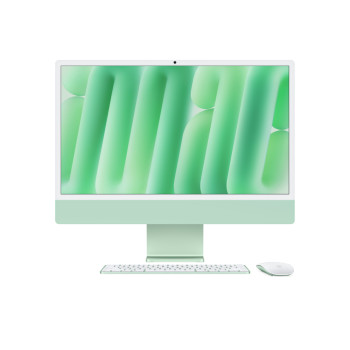
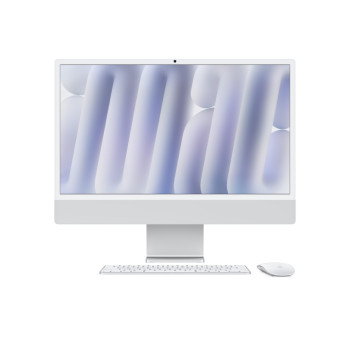
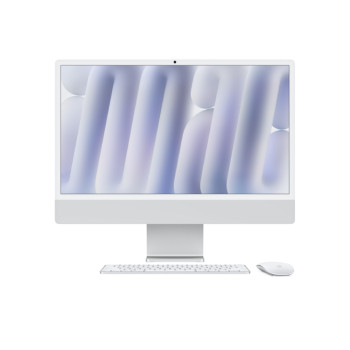
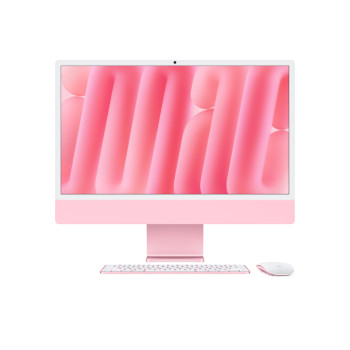
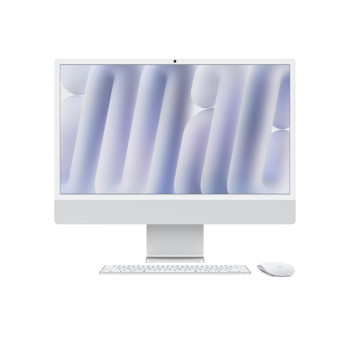
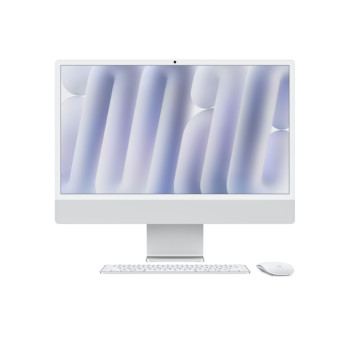
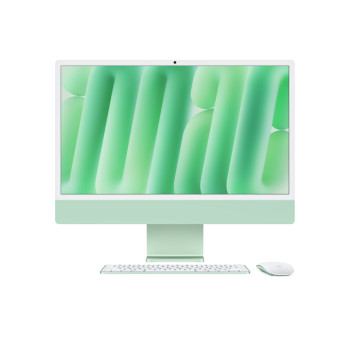
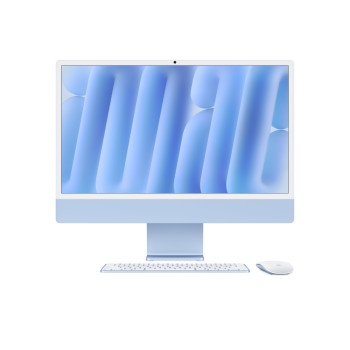
Buy Apple iMac desktop computers in the UK, including the latest 24-inch M4 iMac models with 4.5K Retina displays, 16GB or 24GB unified memory, 256GB or 512GB SSD storage and sleek all-in-one designs. Compare colours, specs, prices, finance options and free delivery to find the right iMac for work, study, home office or creative use.
At Laptop Outlet, you can buy Apple iMac PCs for everyday productivity, creative projects, video calls, streaming and business use. Whether you are buying an iMac computer for your home office or looking for a premium Apple Mac desktop PC for your creative work, our range helps you compare performance, storage and value in one place.
Latest Apple iMac M4 Models
The latest Apple iMac models are built around Apple M4 performance, giving you a fast and responsive desktop experience for browsing, multitasking, video meetings, online learning and creative software. The 24-inch iMac combines a sharp 4.5K Retina display with a slim all-in-one desktop design, making it ideal for users who want desktop comfort without a bulky PC tower.
Choose from popular iMac configurations, including 16GB RAM with 256GB SSD, 16GB RAM with 512GB SSD and higher-spec options with 24GB RAM for heavier multitasking. If you are comparing iMac deals in the UK, look closely at the processor, unified memory, SSD storage, colour, display quality, ports and included accessories before you buy.
Why Choose an Apple iMac?
An Apple iMac is ideal if you mainly work from one place and want a desktop that looks stylish, feels fast and keeps your desk tidy. Unlike a traditional desktop PC, the iMac puts the screen, processor, speakers, camera and storage into one elegant unit, helping you save space while still enjoying a comfortable desktop setup.
- For home users, the iMac is excellent for web browsing, emails, online shopping, streaming, family photos, and FaceTime calls.
- For students, it offers a large screen for coursework, research, online classes and presentations. For remote workers, it gives you more room for spreadsheets, documents, meetings and multiple browser tabs.
- For creatives, the Retina display and Apple M-series performance make photo editing, design work, content creation and music projects feel smooth and focused.
Which Apple iMac Should I Buy?
The best Apple iMac for you depends on how you use your computer.
For everyday tasks such as browsing, emails, streaming, schoolwork, admin and video calls, an entry-level 24-inch iMac with 16GB RAM and 256GB SSD storage is a smart and affordable Apple iMac option.
For business users, students with large files or anyone who stores lots of photos, videos, apps and documents locally, a 512GB SSD iMac is a better long-term choice. Extra storage gives you more room for files and software, reducing your reliance on cloud storage.
For creative users, designers and heavier multitaskers, choose a higher-spec iMac with more memory and storage. A 24GB RAM and 512GB SSD model is better suited to switching between creative apps, large documents, browser tabs and media projects.
256GB vs 512GB iMac: Which Storage Size is Best?
A 256GB SSD iMac is suitable if most of your files are stored in iCloud, Google Drive, OneDrive or external storage. It is a good option for everyday users who mainly browse online, use documents, stream content, join video calls and manage light photo libraries.
A 512GB SSD iMac is better if you store files directly on your desktop. Choose 512GB if you keep lots of photos, videos, apps, design files, music projects, business documents or university work on your Mac. Since iMac storage is not designed for simple internal upgrades later, it is worth choosing the right capacity from the start.
16GB vs 24GB RAM: How Much Memory Do You Need?
For everyday use, 16GB RAM is a strong starting point for a modern Apple iMac. It is suitable for browsing, emails, Microsoft Office, video calls, streaming, schoolwork, light editing and general multitasking.
Choose 24GB RAM if you regularly use creative software, edit large images, work with multiple apps at once or want more headroom for future use. More memory can help your iMac feel smoother when switching between demanding apps, large files and many browser tabs.
8-Core vs 10-Core M4 iMac
Some Apple iMac M4 models come with different CPU and GPU configurations. An 8-core M4 iMac is a good choice for everyday computing, study, remote work, browsing, streaming and light creative tasks.
A 10-core M4 iMac is better if you want stronger graphics performance, smoother creative workflows and better headroom for multitasking. If you want the most affordable iMac for daily use, choose an 8-core model. If you want stronger performance for creative or professional work, choose a 10-core model.
iMac vs MacBook: Which is Right for You?
| Choose an iMac if... | Choose a MacBook if... |
| You work mainly from one desk. | You need to work on the move. |
| You want a larger built-in screen. | You want a lightweight, portable device. |
| You prefer a neat all-in-one desktop setup. | You need flexibility for study, travel or commuting. |
| Best for home offices, classrooms and studios. | Best for students, commuters and hybrid workers. |
| Ideal for desktop comfort and multitasking. | Ideal for portability and working anywhere. |
If you need Apple performance in a portable format, explore our reliable MacBook Air laptops for everyday use, commuting and university. For more demanding creative and professional workloads, browse our best MacBook Pro laptops.
iMac vs Mac Mini: Which Apple Desktop Should You Buy?
An iMac is the better option if you want an all-in-one Apple desktop with a built-in display, speakers, camera and clean setup. It is easier to set up and ideal for users who want everything in one package.
A Mac mini is better if you already have a monitor, keyboard and mouse, or if you want a compact Apple desktop that fits into an existing setup. It can be a good value option, but you will need to buy or already own the accessories.
Apple iMac Deals at Laptop Outlet
Finding the right iMac deal is not just about choosing the lowest price. You should compare the processor, memory, storage, display, colour, warranty, delivery options and payment methods before buying.
At Laptop Outlet, you can compare Apple iMac desktop computers with clear product details, competitive UK pricing, and free delivery on selected models. Our product listings make it easier to compare iMac specifications such as RAM, SSD storage, screen size, colour and processor before you buy. We accept major credit and debit cards, including Mastercard, Visa, Visa Debit, Maestro and American Express. You can also pay securely with PayPal, Klarna, Apple Pay, and Google Pay.
If a desktop is not essential and you want better value in a portable Apple device, our affordable refurbished MacBook Air range is also worth considering.
Read More
Review - Apple Mac Mini Slimline Desktop PC
Review: Apple MacBook Pro 13.3" Retina Display Laptop Intel Core i5
Read more