


iPad Buying Guide: Best iPads for Students, Artists, & Professionals

Choosing the right tablet can be overwhelming, but Apple’s extensive iPad lineup makes it possible to find a model that fits almost any workflow or budget. From students managing coursework to artists creating digital illustrations, and professionals handling demanding tasks, the range of iPads from Apple is built to meet a wide variety of needs.
With options ranging from the compact iPad Mini to the high-performance Apple iPad Pro lineup, including options like the Apple iPad Pro 13, understanding what each model offers is key to making a smart investment.
This guide breaks down powerful and the latest iPads from Apple, comparing performance, features, and value to help you find the best Apple tablet for your daily demands without wasting money on features you won't use.
Top iPads for Students, Artists, and Professionals in 2025
For Students
Apple iPad Air 11 (SKU:MUWG3NF/A)
The Apple iPad Air 11 is an excellent option for students who want performance without the weight or cost of a full laptop. Powered by the M2 chip, it handles everyday university tasks like researching, writing essays, and running apps with zero lag. Its 256GB storage is ideal for storing lecture recordings, presentations, and coursework without relying on cloud storage. At just 462g, it slips easily into a backpack, and the 11-inch Liquid Retina display is perfect for reading journals or revising on the train. With Wi-Fi 6E, you’ll get reliable connectivity across campus. Plus, it supports Apple Pencil Pro and Magic Keyboard, so handwritten notes or quick edits during seminars are easy, efficient, and actually enjoyable.
Apple iPad Mini (SKU:MYHD3NF/A)
Along with the iPad Air, the Apple iPad Mini is also a remarkable choice for students needing portability without sacrificing power. Its compact 8.3" Liquid Retina display and lightweight design make it terrific for on-the-go learning. Powered by the A17 Pro chip, it delivers fast performance for multitasking and creative apps. The 512GB storage supports extensive notes, projects, and media. Furthermore, its 5G connectivity ensures fast downloads and seamless video calls with Center Stage. At the same time, Apple Pencil Pro compatibility enables precise note-taking and drawing. This iPad Mini suits students in arts, science, or those prioritizing mobility over screen size.
For Creatives
Apple iPad Pro 13 (SKU: MVXX3NF/A)
The Apple iPad Pro 13 is the best tablet for creatives, setting the benchmark among Apple iPads with its unmatched power and precision. Featuring a stunning 13-inch OLED Ultra Retina XDR display with true-to-life colours and 1000 nits brightness, it’s unrivalled for design, illustration, and video editing. Powered by the groundbreaking Apple M4 chip and equipped with Thunderbolt and 5G, it handles demanding creative workflows seamlessly. Coupled with the Apple Pencil Pro and Magic Keyboard, this latest iPad transforms ideas into masterpieces. For creatives, the Apple iPad Pro 13 is simply the ultimate Apple tablet. It also stands out for professionals who need larger screen real estate combined with outstanding power and portability.
Apple iPad Air 13 (SKU: MV2N3NF/A)
The Apple iPad Air 13 is also a top choice for UK artists focused on drawing and illustration. Its large, high-resolution Liquid Retina display (2732 x 2048) offers vibrant, colour-accurate visuals, ideal for detailed artwork. Running on the fast M2 chip and featuring 8GB RAM, it handles demanding creative apps effortlessly. The Apple Pencil Pro’s pixel-perfect precision, low latency, tilt sensitivity, and palm rejection make sketching and shading feel natural and fluid. With 512GB storage, artists can keep large projects and high-resolution files without worry. Features like USB-C support enable quick file transfers, and iPadOS 17 with multitasking improves workflow. Lightweight and portable, it suits UK creatives working from studios, cafes, or on the go, blending power and flexibility beautifully.
For Professionals
Apple iPad Pro 11 (SKU:MVVC3NF/A)
The Apple iPad Pro 11 is phenomenal for professionals seeking a perfect balance of performance and portability. Equipped with the Apple M4 chip with nine cores, it delivers exceptional speed and power for demanding tasks like video editing, 3D design, and multitasking. Its 11-inch IPS display offers sharp, vibrant visuals, ensuring accuracy for creative and business workflows. Connectivity options include Wi-Fi 6E and Bluetooth 5.3, supporting seamless communication and fast data transfer. The Magic Keyboard and Apple Pencil Pro enhance productivity, making precise work effortless. Lightweight and slim, this tablet fits flawlessly into any professional’s routine, providing robust features, long battery life, and the power needed to excel in any work environment.
Shop these amazing Apple iPads at the best prices at Laptop Outlet. Students, artists, and professionals on a budget can choose to pay with easy payments and flexible payment options, including PayPal Pay in 3 and PayPal Credit. In case you want more options, browse our entire tablets range to find the right iPad for your needs!
Conclusion
The latest iPad models from Apple combine advanced technology with sleek design to support study, creativity, and productivity. Choosing the right one depends on your specific needs.
For students seeking portability, the Apple iPad Air 11 and iPad Mini are sound options, while the Apple iPad Pro 13 and iPad Air 13 offer supreme power and versatility for creatives. Moreover, the Apple iPad Pro 11 provides a perfect balance of performance and portability for professional tasks.
Looking to buy an Apple iPad in 2025? Browse the full range at Laptop Outlet! Take advantage of exclusive iPad deals to save significantly. Shop now to upgrade your digital experience with the most reliable Apple iPads on the market!
FAQs
- What makes the Apple iPad Pro 13 suitable for creative professionals?
The Apple iPad Pro 13 features a stunning OLED Ultra Retina XDR display and the powerful M4 chip, making it ideal for detailed design, illustration, and other creative tasks. - Can I use the Apple Pencil with all recent iPad models?
AYes, the Apple Pencil is compatible with mostly all recent Apple iPads, such as the iPad Pro 11 and iPad Pro 13 models. However, compatibility depends on the specific version of the Pencil and the iPad. - How do storage options affect Apple iPad usability?
Storage capacity affects how much content you can keep on your iPad, like apps, documents, photos, and videos. Smaller storage suits students with basic needs, while professionals and artists need more space for large files and apps.
| Read More: |
| How to Shut Off an iPad |
| How to Sync iPhone and iPad |
| How to Free Up Space on iPad |
Related Articles

Last Updated: May 27, 2025
Are you looking for a portable computing solution and don't know which one to choose – an Android tablet or an iPad? Luckily, you've landed at the right place!
The terms "tablets" and an "iPad" are often used interchangeably, but they are different. If you are an Apple user, you may get attracted to an iPad; however, tablet PCs also have matchless capabilities that you cannot simply neglect. On the other hand, as Android users, isn't it exciting to have an Apple device at your disposal?
Both tablets and iPad significantly differ in operating system, design, and performance. Both devices also possess unique pros and drawbacks. Considering all these scenarios, deciding which one will offer the best value for your money may be overwhelming. Luckily, we are here to solve this dilemma.
In this Tablet vs iPad guide, we will walk you through the features of both devices to help you decide on the suitable device that fits your needs and budget.
So, let's get started!
What are Tablet

Last Updated: September 24, 2025
Buying a refurbished iPad can save you hundreds of pounds, but there can be some drawbacks. This guide will help you find out where to buy them, which retailers are worth considering, and everything else you need to consider before you spend your money.
You can purchase second-hand iPads directly from previous owners through platforms like eBay and local retailers. However, a refurbished iPad is different—it has been inspected and tested to ensure it functions like new, often with a warranty for added peace of mind.
Brand-new iPads can cost over £1,000, with even the most affordable models exceeding £300. Opting for a refurbished one can impressively cut costs. Stay with us as we help you through the benefits of a refurbished iPad, the best place to buy a refurbished iPad, and key factors to consider.
So, let's jump right in!
What Exactly Is a Refurbished iPad?
Before we dive into the where-to-buy reconditioned iPad details, it's worth discussing what "refurbished" really

Last Updated: September 09, 2025
Wondering If Your iPad Battery Is Still Strong?
If your iPad doesn’t last as long as it used to, you might be wondering about its battery health. While iOS doesn’t show a detailed battery health tool like the iPhone, there are still ways to monitor your battery’s performance and longevity. Here’s how to do it.
1. Use iPad Battery Settings to Check Usage
Although iPads don’t show battery maximum capacity like iPhones, you can still:
Steps:
- Go to Settings > Battery
- Tap Battery Usage by App to see what’s draining your battery
- View battery level graphs and screen-on time
- This helps identify whether the issue is with the battery or specific apps
2. Use Analytics Data to Estimate Battery Health
Apple doesn’t provide direct battery health info on iPad, but you can dig into system analytics.
Steps:
- Go to Settings > Privacy & Security > Analytics & Improvements
- Tap Analytics Data
- Look for a file like log-aggregated-xxxx and tap it
- Use Copy and paste into Notes or Files
Last Updated: September 09, 2025
Unleash Precision with Apple Pencil
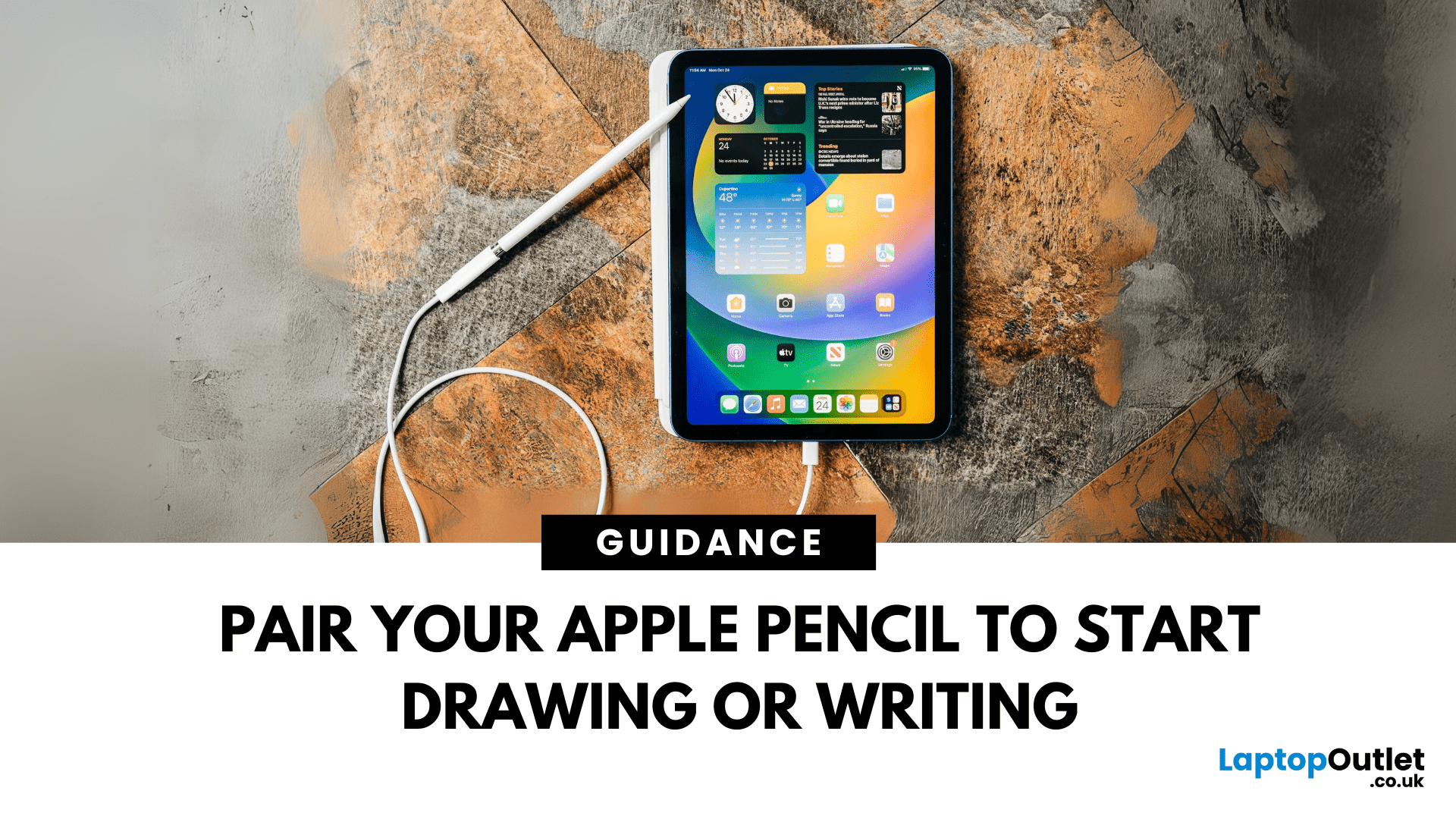
Whether you're an artist, student, or note-taker, the Apple Pencil transforms your iPad into a powerful tool for creativity and productivity. But first, you’ll need to pair it. Here’s how to connect both Apple Pencil 1st Gen and 2nd Gen to your iPad quickly.
How to Connect Apple Pencil (2nd Generation)
Compatible with:
- iPad Pro (3rd gen and later)
- iPad Air (4th gen and later)
- iPad mini (6th gen)
Steps:
- Make sure Bluetooth is enabled (Settings > Bluetooth)
- Attach the Apple Pencil to the magnetic strip on the side of the iPad
- Wait for the Pair prompt and tap it
Your Apple Pencil is now connected and ready to use
How to Connect Apple Pencil (1st Generation)
Compatible with:
- iPad (6th–10th gen)
- iPad Air (3rd gen)
- iPad mini (5th gen)
Steps:
- Remove the cap and plug the Apple Pencil into the iPad’s Lightning port
- Tap Pair when the prompt appears
If your iPad uses USB-C (10th gen), you’ll need a USB-C to Apple Pencil Adapter

Last Updated: May 13, 2025
Know Your iPad Model in Minutes
Need to buy a case, check compatibility, or sell your iPad? First, you need to know exactly which iPad model you have. With so many versions—Pro, Air, Mini, and standard—it can get confusing. Here’s how to quickly identify your iPad.
1. Check in Settings (Easiest Method)
Steps:
- Go to Settings > General > About
- Look for Model Name (e.g. iPad Pro 11-inch (3rd generation))
- Tap Model Number to reveal a code starting with A (e.g. A2270)
- That A-number is the most accurate way to identify your iPad
2. Match Model Number with Apple’s List
Visit Apple’s official iPad identification page and match your A-number to the model and generation.
Examples:
- A2602 = iPad (9th generation)
- A2229 = iPad Pro 12.9-inch (4th generation)
- A2152 = iPad Air (3rd generation)
3. Check the Back of Your iPad (Alternative Method)
If your iPad won’t turn on:
- Flip the iPad over
- Look for small text near the bottom
- Find the Model number (e.g. A1893)

