


Smartwatch Buying Guide: Features, Compatibility & Battery Life
When looking to buy a smartwatch, the most important factors to consider are smartphone compatibility (iOS or Android), operating system, health and fitness sensors, battery life, display type, case size, and your budget. Apple Watch works exclusively with iPhone, while Wear OS devices suit Android users. Garmin, Huawei, and Withings work with both. Budget models start from around £80; premium options can exceed £800.
This smartwatch buying guide covers every spec, feature, and factor worth checking before you spend your money. Whether you are buying your first wearable or upgrading from an older model, there is a fair bit to get your head around in 2026.
What Is a Smartwatch and Who Should Buy One?
Smartwatches have become one of the most useful everyday tech accessories, especially for people who want notifications, fitness data, calls and payments without constantly reaching for their phone.
Smartwatch, fitness tracker or hybrid watch?
A smartwatch is a wrist-worn device that connects to your phone and usually adds apps, notifications, sensors and activity tracking. Some models can also make calls, stream music, use maps and take payments.
A fitness tracker is usually lighter, cheaper and simpler. It is better if you mainly want steps, heart rate, sleep and basic workouts.
A hybrid watch looks closer to a traditional analogue watch. It may offer long battery life, basic alerts and discreet health data, but it usually has fewer apps and limited on-screen controls.
|
TYPE |
BEST FOR |
TYPICAL STRENGTHS |
WATCH OUT FOR |
|---|---|---|---|
|
Full smartwatch |
Phone-like features on the wrist |
Apps, calls, payments, voice assistant, health sensors, bright display |
Usually needs charging every 1 to 3 days |
|
Fitness tracker |
Steps, sleep and casual activity |
Lightweight, lower price, simple app, longer battery |
Smaller screen and fewer smart features |
|
Sports watch |
Running, cycling, hiking, gym and training plans |
GPS, recovery metrics, rugged build, excellent battery |
May feel bulky or less polished for daily apps |
|
Hybrid watch |
Classic style with basic tracking |
Subtle design, long battery, lighter digital footprint |
Limited apps, limited messaging and smaller data views |
|
Kids watch |
Family communication and location features |
Calling, location sharing, parental controls on selected models |
Needs careful privacy checks and network support |
| Helpful tip: Write down your top three uses before shopping. If your list says calls, payments and maps, buy differently from someone who wants marathon data and a two-week battery. |
Start With Phone Compatibility and Operating System
Compatibility decides how useful a watch feels after purchase. This is especially important if you are upgrading your wearable at the same time as comparing the latest mobile phones.
iPhone users
An Apple Watch is usually the smoothest smartwatch for iPhone users. Current Apple Watch Series 11, Apple Watch SE 3 and Apple Watch Ultra 3 models require iPhone 11 or later with iOS 26 or later.
Apple Watch models are strong for messages, Apple Pay, Fitness, safety tools, app polish and Apple ecosystem features. They are not the best choice for Android users because full pairing and everyday features depend on iPhone.
Android users
A smartwatch for Android shoppers will usually mean Wear OS, Samsung Galaxy Watch, Google Pixel Watch, Garmin, Amazfit, Huawei, Fitbit or another cross-platform option. Check the exact companion app before purchase.
If you plan to buy Google Android phones, a Wear OS or Pixel Watch model is often the most natural place to start because Google services, apps and notifications are usually better supported. Samsung watches are excellent with Samsung Galaxy phones, although many features also work with other Android phones.
Do not assume every feature transfers
Basic Bluetooth notifications may work across more devices than advanced features. ECG, blood pressure tools, message replies, maps, voice assistants, camera controls and mobile payments can be limited by phone brand, region or app support.
Before you buy, search the brand’s compatibility page and check the phone operating system version. This takes two minutes and can save a proper headache later.
Set Your Budget Before Comparing Specifications
Smartwatch prices in Britain vary widely by brand, sensors, materials, connectivity or bundles. Decide your ceiling early, then compare value rather than headline discounts wisely.
Typical UK price bands in 2026
Entry-level watches and trackers can start below £100, especially from Amazfit, Xiaomi, Huawei, older Fitbit models and sale stock. These affordable Bluetooth smartwatches fine for steps, sleep, alerts and simple workouts.
The £150 to £300 range is usually the value sweet spot. This is where you find stronger screens, better GPS, improved build quality and more polished apps.
Premium models often sit from £350 to £700+, especially Apple Watch, Samsung Classic or Ultra models, Google Pixel Watch, Garmin sports watches and titanium or sapphire builds. These can be worth it if you use the advanced features often.
|
BUDGET |
WHAT TO EXPECT |
GOOD BUYER FIT |
LIKELY COMPROMISE |
|---|---|---|---|
|
Under £100 |
Basic fitness tracking, notifications, simple sports modes, long battery |
First-time buyers and light users |
Fewer apps, weaker sensors, basic materials |
|
£100 to £200 |
Better AMOLED screens, improved health data, more sports modes |
Daily tracking without premium pricing |
Limited app ecosystem or no cellular option |
|
£200 to £350 |
Good GPS, stronger processors, payments, better build and fuller app support |
Most everyday users |
Battery may still need frequent charging |
|
£350 to £700+ |
Premium materials, advanced health sensors, LTE options, better durability |
Power users, athletes and ecosystem buyers |
High upfront cost and possible add-on subscriptions |
Remember the hidden costs
A budget smartwatch can become less cheap if it needs replacement straps, proprietary chargers, premium app subscriptions or a mobile plan. Always check what is included in the box.
Cellular models usually cost more upfront and may need a monthly plan from a supported UK network. Subscription health platforms can also add ongoing cost, so check what stays free after any trial.
Display, Case Size, Comfort and Materials
A watch lives on your wrist, so comfort matters as much as raw specs. Check screen readability, case thickness, strap feel and everyday weight before buying.
Screen type and brightness
AMOLED and OLED screens give punchy colours, deep blacks and strong contrast. They look great indoors and are common on Apple Watch, Samsung Galaxy Watch, Google Pixel Watch, Garmin AMOLED models, Huawei and Amazfit.
LTPO displays can vary refresh rate to save power, which is useful for always-on screens. Transflective memory-in-pixel displays are less flashy but can be excellent outdoors and kinder to battery life.
Brightness matters if you run, cycle, drive or commute in daylight. Look for 1,000 nits or above for comfortable outdoor use. Premium models hit 2,000 to 3,000 nits in 2026.
Case sizes and wrist fit
Smaller cases around 40mm to 42mm suit slimmer wrists and sleep tracking. Larger cases around 44mm to 49mm give more screen space and often better battery life.
Check the case thickness too. A large screen can look fine in photos but feel annoying under shirt cuffs, jackets or gym gloves.
Try to measure your wrist circumference. If buying online, compare the brand’s strap sizing range with your wrist rather than guessing from product images.
Build materials
Aluminium is light and affordable. Stainless steel feels more premium and tougher, but adds weight.
Titanium is strong and lighter than stainless steel, usually found on premium models. Sapphire crystal improves scratch resistance, while standard strengthened glass keeps prices lower.
For straps, silicone is practical for workouts, nylon feels softer for daily use, leather looks smarter but dislikes sweat, and metal bracelets can feel heavy. Interchangeable straps are a big plus.
Battery Life and Charging Speed
If you want a long-life battery smartwatch, look beyond the headline claim and check how long it lasts with GPS, sleep tracking, always-on display and health monitoring switched on.
What battery numbers really mean
Mainstream Apple, Samsung and Google watches often focus on smart features and bright displays, so they commonly need charging every day or two. Low-power modes can stretch this, but may reduce convenience.
Garmin, Amazfit, Huawei and some hybrid watches often last several days or even weeks. This makes them better if you travel, camp, track long activities or dislike nightly charging.
A long battery life smartwatch may sacrifice third-party apps, richer notifications or voice features. Decide whether you value independence from the charger or a fuller app experience.
Settings that drain battery fastest
- Always-on display: convenient, but it can reduce endurance noticeably.
- GPS workouts: running, cycling and hiking use more power than step tracking.
- Cellular use: calls, data and streaming away from your phone drain faster.
- High brightness: useful outdoors, but heavier on battery in summer daylight.
- Continuous health tracking: frequent heart rate, SpO2 and stress checks can add load.
Charging tips before you buy
Check the charging set-up before buying. Many watches use a proprietary puck, so losing it is annoying on holiday, at work or during a gym week.
Fast charging helps if you track sleep. A 10 to 30-minute top-up while showering or making breakfast can keep overnight tracking realistic.
Health Sensors And Wellbeing Features
The best smartwatch with health features is not always the one with the longest sensor list, but the one that gives reliable trends, clear explanations and sensible safety warnings.
Heart rate and irregular rhythm alerts
Most modern smartwatches use optical heart-rate sensors. They estimate pulse from your wrist and can help monitor resting heart rate, exercise zones and unusual changes.
Accuracy can be affected by loose fit, tattoos, cold skin, darker strap movement, intense intervals and where the watch sits on your wrist. A snug fit above the wrist bone usually helps.
ECG, blood oxygen and blood pressure
A smartwatch with ECG can record a short single-lead reading on supported models. Apple, Samsung, Google Pixel, Garmin and Withings have offered ECG features on selected devices, but availability varies by country, model and phone.
Blood oxygen, often shown as SpO2, can be useful for altitude trends, sleep context and general wellbeing patterns. It should not be used to diagnose illness by itself.
Some watches claim blood pressure insights, but these may need calibration, specific phone support or regional approval. Be extra careful with cheap models making big medical claims.
Sleep, stress and recovery
Sleep tracking usually estimates duration, stages, interruptions and consistency. It can help you spot patterns, such as late caffeine, poor routine or irregular bedtimes.
Stress, recovery and readiness scores combine several signals, including heart rate variability, sleep, recent activity and resting pulse. They are best viewed as trend indicators, not final verdicts on how you feel.
| Health warning: Wrist wearables can encourage better habits, but unusual readings, chest pain, fainting, breathlessness or ongoing symptoms should be discussed with a GP or urgent care service. |
Fitness Tracking, GPS And Sports Features
Fitness features vary from simple step goals to advanced training analysis. Match the watch to your sport, accuracy needs and preferred coaching style in practice.
Built-in GPS versus connected GPS
A smartwatch with GPS can track distance and route without taking your phone. This is useful for running, cycling, walking routes, hiking and outdoor workouts.
Connected GPS borrows your phone’s location data. It is cheaper and can be fine for casual exercise, but you must carry your phone for mapped routes.
Multi-band GPS can improve accuracy in cities, wooded routes and tricky terrain. Serious runners and hikers should put this high on the list.
Workout modes and training metrics
Do not be fooled by huge sports-mode counts alone. A watch with 150 modes is not automatically better than one with fewer, better-developed modes.
Useful training features include pace alerts, heart-rate zones, route import, recovery time, training load, VO2 max estimates, interval sessions and race predictions. Gym users may value strength tracking, rep counting and automatic workout detection.
Swimmers should look for pool length settings, stroke recognition, lap counting and a suitable water rating. Triathletes should check multisport mode and quick activity transitions.
Maps, music and offline use
Offline music is handy for running without your phone. Check whether your preferred service is supported, because Spotify, YouTube Music, Apple Music and Amazon Music support varies by platform.
Offline maps matter for hiking and travel. Some watches only show breadcrumb trails, while others offer full maps, turn-by-turn guidance or downloadable routes.
Calls, LTE, Payments and Everyday Smart Features
Smart features can save time when they work smoothly. Check whether your watch supports the apps, bank, network and voice assistant you already use every day.
Bluetooth calling versus cellular
Bluetooth calling lets you answer calls from the wrist when your phone is nearby. It is useful at home, at your desk or when your phone is in a bag.
An LTE smartwatch adds mobile data through eSIM, so you can call, message or stream without your phone nearby. This is handy for runners, school runs, quick errands and emergency contact.
However, cellular support is not universal. Apple lists Three, EE, O2 and Vodafone for UK Apple Watch service, but plan eligibility still depends on account type and network terms.
Samsung eSIM support also varies by country and carrier. Google Pixel Watch LTE requires the watch and Android companion phone to use the same operator network for full talk, text and data functionality.
Payments and wallets
Apple Pay, Google Wallet, Samsung Wallet, Garmin Pay and Fitbit payments can be very convenient. Check that your UK bank supports your chosen watch platform before buying.
This is especially important for smaller banks, prepaid cards and business accounts. A watch can have NFC hardware but still fail to support your card.
Notifications, replies and apps
Notification quality varies more than many buyers expect. Some watches let you reply properly, dictate messages and manage apps, while others only mirror alerts.
If you rely on WhatsApp, Gmail, Outlook, Strava, Spotify, Google Maps, Apple Maps or smart home controls, check app availability first. A low price is less useful if your favourite apps are missing.
Water Resistance, Durability and Outdoor Use
Water resistance labels can be confusing. Read the rating, the brand’s activity guidance and the warranty limits before swimming, showering, diving or hot tubs.
IP rating versus ATM rating
An IP rating describes protection against dust and water ingress. For example, IP68 usually means dust protection and immersion resistance under defined test conditions.
ATM ratings relate to pressure resistance. A 5 ATM rating is commonly used for shallow-water swimming, while 10 ATM offers more headroom for water activity.
No everyday smartwatch is truly waterproof forever. Seals can weaken through age, drops, soaps, chlorine, salt water, heat and repair work.
|
RATING |
TYPICAL MEANING |
SUITABLE USE |
BE CAREFUL WITH |
|---|---|---|---|
|
IP67 |
Dust protection and short immersion resistance |
Rain and accidental splashes |
Regular swimming or showers |
|
IP68 |
Dust protection and deeper immersion under brand conditions |
Wet weather and some short water exposure |
Assuming it is a swimming rating |
|
5 ATM |
Pressure tested to 50 metres under defined conditions |
Pool swimming and shallow water on many models |
High-speed water, diving and hot water |
|
10 ATM |
Pressure tested to 100 metres under defined conditions |
More demanding surface water activity |
Scuba unless the brand explicitly supports it |
|
Dive rated |
Designed for specific diving use |
Recreational diving within stated limits |
Using ordinary swim watches as dive computers |
Rugged features worth checking
- Sapphire glass: better scratch resistance than standard glass.
- Titanium case: lighter premium durability for outdoor watches.
- Raised bezel: helps protect the screen edge during knocks.
- Glove-friendly buttons: important for hiking, winter training and cycling.
- Dust resistance: helpful for DIY, trails, workshops and outdoor work.
If you need a waterproof smartwatch for regular swimming, prioritise the brand’s stated swim support over marketplace wording. Product titles can be less precise than the official specification page.
Popular Smartwatch Brands and Models In the UK
UK shoppers have strong options across Apple, Android, fitness and value categories. Compare brand strengths before comparing tiny spec differences so you shortlist faster online.
Apple
Apple Watch Series 11 is the mainstream choice for iPhone owners who want polished apps, Apple Pay, advanced health features, safety tools and strong day-to-day performance. Apple Watch SE 3 is the cheaper route into the ecosystem.
Apple Watch Ultra 3 suits outdoor users, divers within stated limits, long workouts and people who prefer a larger rugged design. It is overkill for many casual users.
Samsung
Samsung Galaxy Watch8 is a strong everyday Android option with a bright display, Wear OS apps, Samsung Health and Google services. Galaxy Watch8 Classic adds a premium design and rotating bezel.
Samsung Galaxy Watch Ultra is aimed at buyers who want a tougher build, longer battery than regular Galaxy models and a more outdoor-focused design.
Google Pixel and Fitbit
Reliable Google Pixel watches such as Google Pixel Watch 4 are polished Android options with Fitbit-powered health features, Google apps, Wear OS and a bright Actua 360 display. They are especially neat for Pixel phone owners.
Fitbit devices are often better for simple health habits, lighter comfort and easier sleep tracking. Check the Google Health app transition and premium features if deeper coaching matters.
Garmin
Garmin is a top choice for runners, cyclists, hikers, swimmers and training-focused users. Models such as Forerunner 165, 570, 970, Venu 3, Venu X1, Fenix and Epix lines cover different budgets and sports needs.
Garmin often delivers stronger battery life and training analysis than lifestyle-first watches. It may feel less phone-like than Apple, Samsung or Google, but it is excellent for structured fitness.
Huawei, Amazfit, Withings and others
Huawei Watch Fit and Watch GT models often offer stylish designs, strong battery life and good value. Check app support and phone compatibility carefully, especially for payments and third-party apps.
Amazfit models are popular for value, long battery life, big AMOLED displays and wide sports-mode lists. The Amazfit Active Max, for example, targets bright display, maps, workout modes and long endurance.
Withings is worth considering if you prefer a hybrid design with discreet health tracking. It is not the app-rich option, but it suits people who want a watch first and a screen second.
|
BRAND |
POPULAR 2026 MODELS TO COMPARE |
BEST FIT |
TYPICAL UK PRICE FEEL |
|---|---|---|---|
|
Apple |
Watch Series 11, SE 3, Ultra 3 |
iPhone users, apps, safety, payments, premium polish |
From budget Apple to premium £700+ territory |
|
Samsung |
Galaxy Watch8, Watch8 Classic, Watch Ultra |
Android and Samsung users wanting Wear OS features |
Mid-range to premium, often with UK offers |
|
|
Pixel Watch 4 |
Pixel and Android users wanting Google services and Fitbit health |
Premium mainstream around £300+ |
|
Garmin |
Forerunner 165, 570, 970, Venu 3, Fenix, Epix |
Training, outdoor sports and battery-first buyers |
Mid-range to high-end sports pricing |
|
Fitbit |
Versa, Sense, Charge series |
Health habits, sleep, steps and lightweight comfort |
Affordable to mid-range, subscription worth checking |
|
Huawei |
Watch Fit, Watch GT, Watch Ultimate lines |
Battery, style and value-led health features |
Affordable to premium depending on range |
|
Amazfit |
Active, Active Max, GTR, GTS, T-Rex lines |
Value, battery, AMOLED screens and broad sports modes |
Often strong under £200 to £300 |
|
Withings |
ScanWatch models |
Hybrid style, simple health tracking and long battery |
Mid-range to premium hybrid pricing |
Quick Comparison Checklist Before You Buy
These smartwatch buying tips can help you compare models more confidently and avoid paying extra for features that do not fit your routine.
Must-check specifications
|
|
Best choices by buyer type
|
BUYER TYPE |
PRIORITISE |
AVOID OVERPLAYING FOR |
|---|---|---|
|
iPhone owner |
Apple Watch compatibility, Apple Pay, safety features, iOS support |
Android-focused watches with limited iPhone features |
|
Android owner |
Wear OS or cross-platform support, Google Wallet, app quality |
Models missing your phone brand’s key features |
|
Runner |
GPS accuracy, heart-rate stability, training plans, recovery data |
Fashion-first models with weak workout metrics |
|
Swimmer |
5 ATM or better, swim modes, strap comfort, clear warranty guidance |
IP-only claims that do not mention swimming |
|
Budget buyer |
Core tracking, clear screen, battery life, warranty and app basics |
Cheap medical claims and unknown app ecosystems |
|
Outdoor user |
Durability, maps, buttons, compass, altimeter and long GPS battery |
Thin lifestyle watches that need daily charging |
Red flags to avoid
- Product pages that claim medical-grade results without clear certification or limitations.
- Very cheap watches advertising blood pressure, ECG and glucose tracking with no credible details.
- No clear app name, privacy policy, update policy or UK warranty information.
- Marketplace listings that say waterproof but do not show a proper IP or ATM rating.
- Cellular models sold without clear UK eSIM and network compatibility information.

Find the Right Fit for You
The right smartwatch is the one that fits your phone, wrist, routine and budget without forcing you into features you do not need. Use this smartwatch buying guide to shortlist by compatibility, then compare battery life, display quality, comfort, GPS, sensors, payments, LTE, water resistance, privacy and software support.
Spend more only when the upgrade solves a real problem, such as safer solo runs, better training data, easier calls or longer outdoor tracking. For most UK shoppers, a well-priced mid-range model will be enough. For athletes, iPhone loyalists and rugged outdoor users, premium models can justify the cost.
Upgrading your wearable? Explore the latest smartwatches and choose a model built for your phone, routine and goals.

What Smartwatch Buyers Often Ask...
What to look for when buying a smartwatch?
Check phone compatibility first, then battery, comfort, health sensors, GPS, payment support, app availability, water rating and software update support.
Is an Apple Watch worth it without an iPhone?
No. Current Apple Watch models require an iPhone for setup and day-to-day syncing, so Android users should choose another platform.
How much should I spend on a smartwatch in the UK?
Most shoppers should budget £150 to £350. Spend more only for cellular, rugged materials, specialist sports metrics or advanced health sensors.
Do smartwatch ECG features replace a doctor?
No. ECG features can flag possible rhythm issues, but readings may be affected by fit, movement and sensor contact. Seek medical advice.
Do I need cellular on a smartwatch?
Cellular is useful for calls, messages and streaming without your phone. It usually costs extra and needs a compatible network plan.
What battery life is good for a smartwatch?
One day is normal for feature-rich watches. Three to seven days is better for convenience. Sports and hybrid models can last longer.
Are cheap smartwatches accurate enough?
They can be fine for steps, notifications and basic workouts. For training, ECG, GPS routes or payments, check reviews and official specs.
| Read More |
| Laptop Buying Guide 2026: How to Choose the Right One |
| How to Pair Apple Watch to a New Phone? |
| Samsung Mobiles Compared: Which Galaxy Phone Is Right for You? |
Related Articles

Last Updated: October 08, 2025
Owning a MacBook already feels like having a premium tool at your fingertips - sleek, powerful, and built for work, study, or creativity. But here’s the truth: on its own, even a MacBook has limits. That’s where accessories step in. The right kit doesn’t just complement Apple’s design; it transforms your MacBook into a full‑on productivity powerhouse.
For students, the right gear means smoother notetaking, better portability, and fewer headaches when deadlines loom. For professionals, accessories bring comfort, efficiency, and a proper setup that makes remote work or long office hours far less draining. Whether it’s a docking station / USB‑C hub to handle multiple screens, a protective sleeve for daily commuting, or noise‑cancelling headphones that save your focus, the right accessories change how you work and study.
Why MacBook Accessories Matter
A MacBook, whether it’s the Air or the Pro, is built to be minimal and stylish - but that also means Apple leaves out a lot of extras. You

Last Updated: February 03, 2026
If you’re a student in 2025, chances are you’ve already heard about AI tools—ChatGPT, Gemini, Notion AI, and many more. But how do you pick the right ones for your studies, and more importantly: what kind of laptop will run them best? In this guide, we’ll explore a curated list of AI tools for students, and then deep dive into what AI laptop specs really matter for using those tools comfortably. Whether you’re writing essays, preparing presentations, doing research, or dabbling in machine learning, this post is for you.
Why Students Should Use AI Tools (But Wisely)

Before jumping into tools, let’s set the mindset:
- Save time on routine tasks. AI can help you create drafts, summarise articles, proofread, or generate study questions, freeing you to focus on understanding.
- Boost creativity & brainstorming. Stuck on how to start an essay or a project? AI can help you generate ideas or alternative angles.
- Personalised learning. Some AI platforms can adapt to your pace, identify weak spots,
Last Updated: February 26, 2026
Looking for the best mini PC for students? Good call. A modern mini desktop gives you laptop-like efficiency with desktop-class reliability, without the bulk, noise, or price tag of a full tower. Whether you’re writing essays, crunching data, editing short films, or firing up a few games after class, today’s mini PCs squeeze serious performance into palm-sized cases that fit on a shelf, under a monitor, or even behind one.
Below, you’ll find a practical guide to choosing the right mini PC for school or university, followed by curated picks by use case, setup tips, and answers to common questions. Everything is written with UK students in mind, budget-savvy, space-conscious, and focused on getting things done.
Why a mini-PC makes sense for students
Small footprint, big desk space. A mini PC leaves room for your notes, sketchbooks, and that essential mug of tea.
Quiet and efficient. Low-power mobile-class CPUs and efficient cooling keep noise down in libraries and dorms.
Better ergonomics.

Last Updated: December 05, 2025
Portable monitors have completely changed the way we work, game, and watch media on the move. They offer a much larger display than your smartphone, transforming your pocket-sized device into a mini-desktop or a fully immersive entertainment system.
If you want to connect smartphone to a portable monitor for work or play, you've come to the right place. This complete guide will walk you through every possible connection method, covering both Android and iPhone devices, as well as essential tips for a seamless setup.
What You Need to Connect Smartphone to a Portable Monitor
Before we dive into 'how to use phone with portable monitor, you need to check a few things. Having the right kit is essential for a successful smartphone to portable monitor setup.

1. The Right Portable Monitor
Your monitor needs to have the correct input ports. The best portable monitors for phones feature a dual-connection design, offering both USB-C (for single-cable power and video) and Mini-HDMI ports (for universal

Last Updated: May 05, 2026
Smartphones have come a long way in the past decade, from simple communication tools to powerful pocket-sized computers. But 2025 marks a turning point. The biggest upgrades are no longer about camera megapixels or faster processors. The real revolution is happening behind the scenes with AI in smartphones.
Artificial intelligence is reshaping how phones think, respond, predict, and interact with users. Whether it’s personalisation, photography, battery management, or voice assistance, AI is quietly powering the features we rely on every day. And with the next generation of AI chips, on-device assistants, and multimodal models, smartphones are evolving at a pace we’ve never seen before.
In this article, we break down how AI is transforming the smartphone industry, what it means for users, and what the future of mobile tech looks like in an AI-driven world.
What Does AI in Smartphones Actually Mean?
While “AI” can sound like marketing hype, its role in smartphones is very real-and very

Published: December 24, 2025
Heading into 2026, the student laptop vibe is basically: lightweight enough to carry all day, fast enough to handle 27 Chrome tabs + a Zoom call, and affordable enough that you can still buy snacks. Whether you’re doing GCSE homework, uni essays, coding projects, or just living in Google Docs, this blog on Student Laptops 2026 breaks down what matters (and what’s just marketing fluff).
What to look for in Student Laptops 2026 (aka the “don’t get scammed” checklist)

1) RAM (memory):
- 8GB = the realistic minimum for 2026 if you want smooth multitasking.
- 16GB = the “I’m serious about this degree” upgrade (especially for creative apps, coding, or heavy research).
2) Storage:
- 256GB is okay, but 512GB is comfy if you keep lots of files, downloads, photos, and videos.
- If you see 128GB, it can work for light use - but you’ll want cloud storage habits.
3) Screen size:
- 14" laptop = the sweet spot (portable, still comfy for essays).
- 15" laptop = bigger and nicer for split-screen, but less “throw-it-in-your-bag”

Last Updated: April 21, 2026
In 2026, a 5G connection is no longer a "nice to have"—it is essential. Whether you are commuting through London or working from a coastal town, you need a device that keeps up with the national rollout of ultra-fast networks.
Finding the best 5G smartphones can feel overwhelming. With so many latest 5G phones hitting the market, how do you choose? You need a phone that balances speed, battery life, and price. From premium Apple iPhones to versatile Android smartphones, the options are better than ever.
In this guide, we break down the top 5G smartphones UK users should consider.
New 5G Phone Deals UK: Top Picks for 2026
If you want the latest technology, the following brand-new models, available at Laptop Outlet, offer the best performance and future-proofing.
1. Oppo Reno13 F 5G (CPH2699L Blue)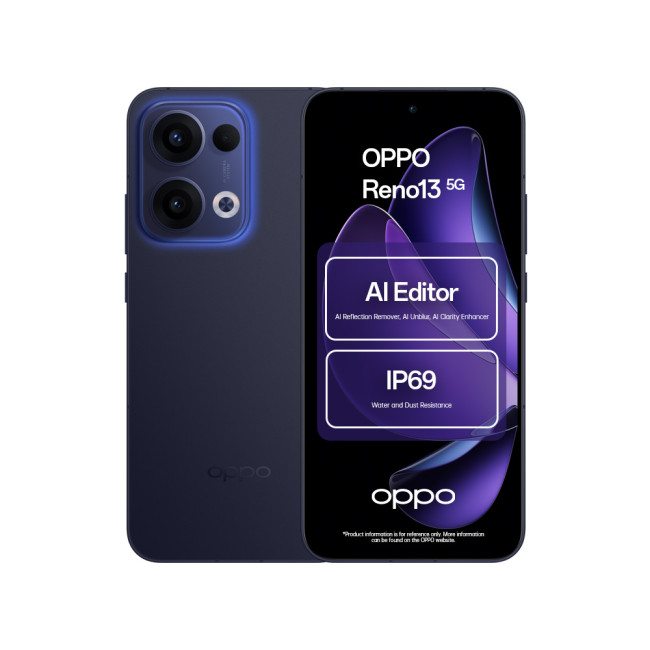
Key Specifications
- Display: 6.67-inch AMOLED, 120 Hz refresh rate
- Resolution: 1080 x 2400 Pixels.
- CPU: Qualcomm Snapdragon 6 Gen 1
- RAM: 8 GB
- Storage: 256 GB
Last Updated: March 10, 2026
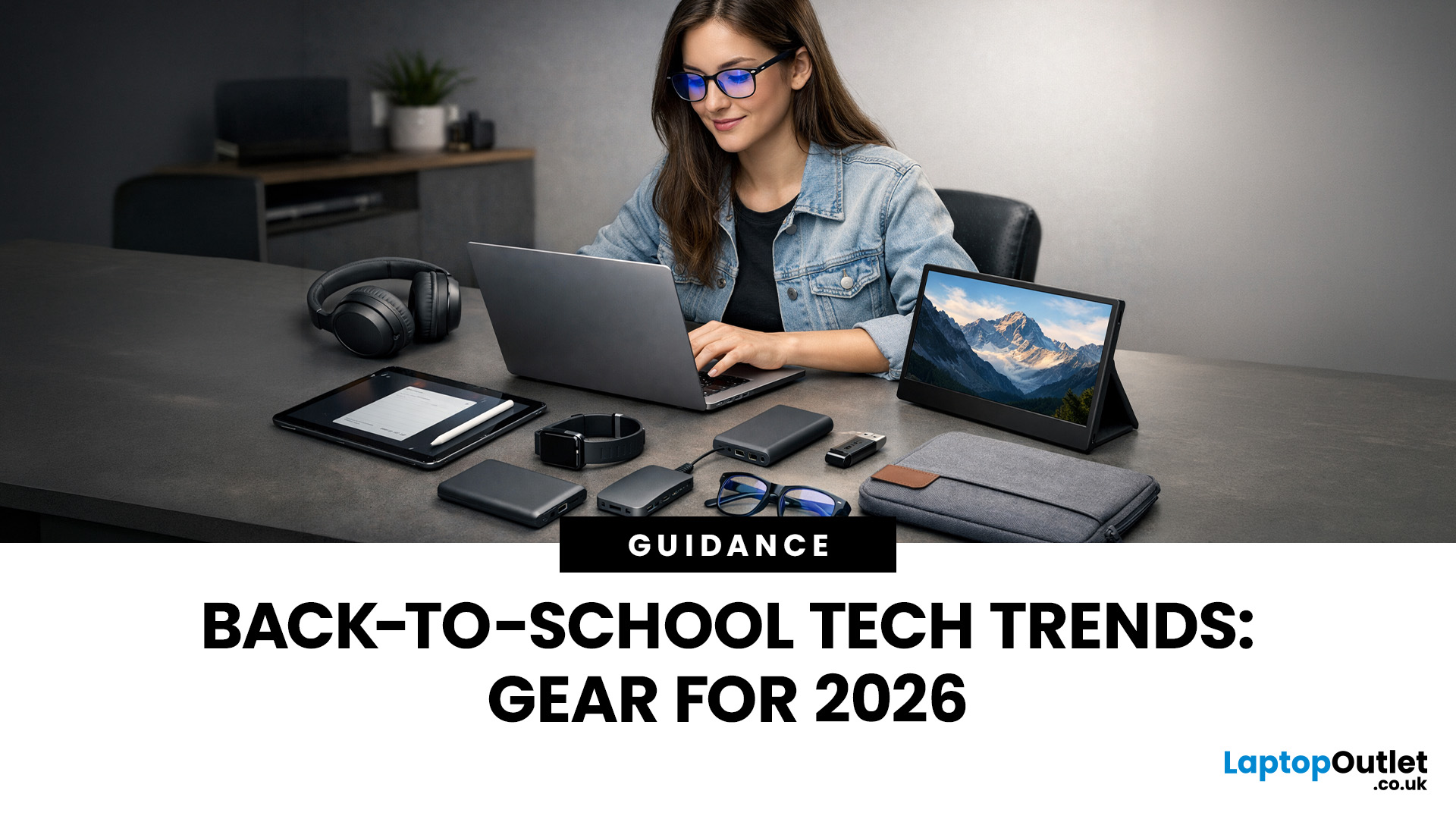
Every year, the back-to-school season brings a rush of shopping. But in 2026, it is not just about stationery and backpacks. Tech has become one of the biggest spending categories on every student's list.
Whether you are a parent, a student, or simply trying to stay informed, knowing the latest back-to-school tech trends can save you time, money, and a few headaches.
So, what are students actually buying this year? Let's break it down.
Why Tech Is Now a Back-to-School Essential
Learning has changed. Most schools and universities across the UK now expect students to have access to their own devices. Hybrid learning, digital coursework, and online collaboration tools have made tech a necessity rather than a luxury.
In fact, a growing number of UK schools have moved to fully digital classrooms. This means students need reliable, capable devices from day one.
Parents and students are also more tech-savvy than ever. They know what to look for. And they are not just buying cheap.
Last Updated: April 27, 2026
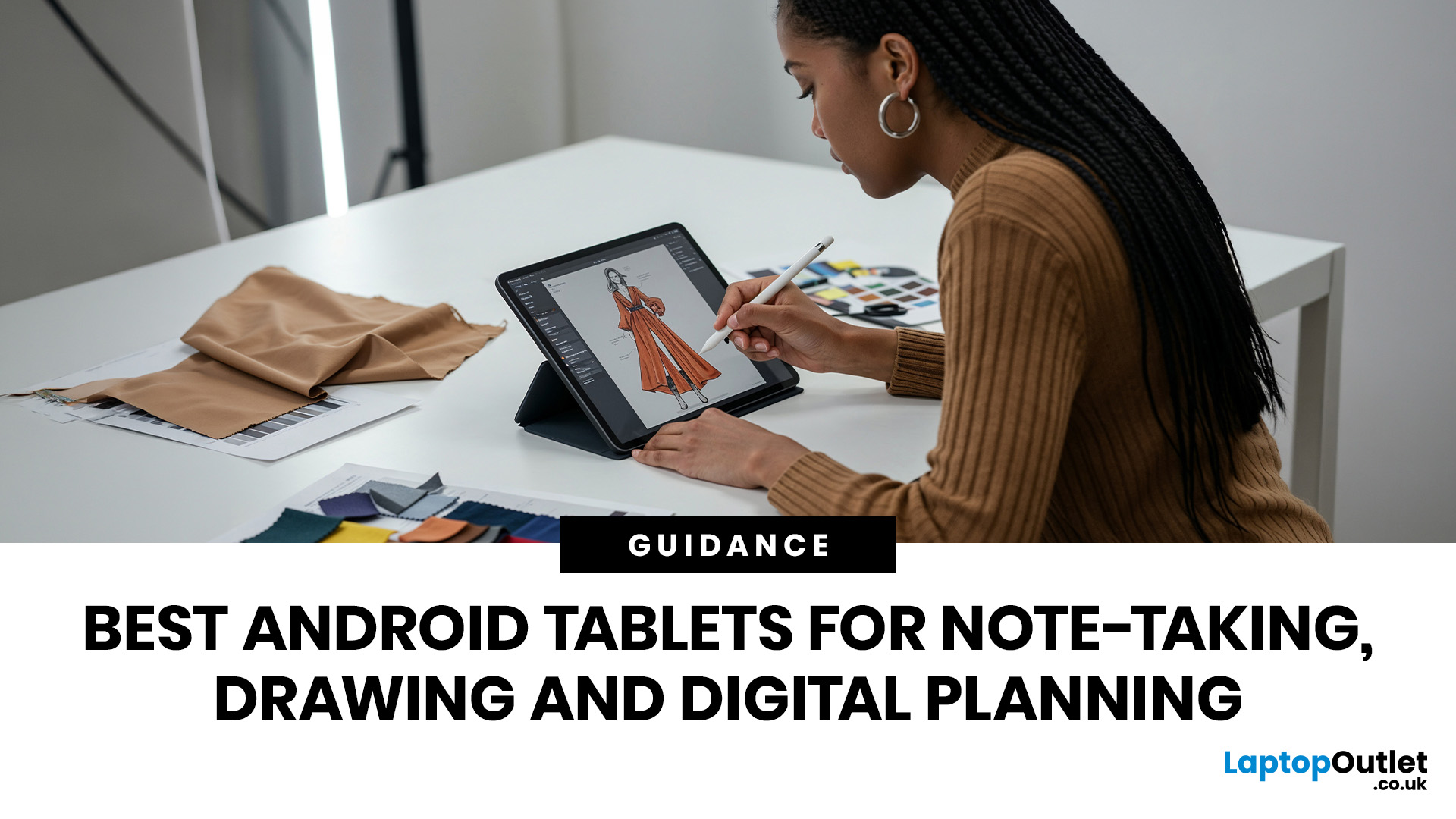
If you are looking for the best Android tablets for note taking and drawing, the key is finding a tablet that feels natural for writing, sketching and digital planning. The best options combine stylus support, a clear display, good portability and enough performance for everyday work, study and creative use.
Not every user needs the same thing. Some want a simple tablet for notes and journaling, while others need a more capable device for drawing, annotating PDFs, and multitasking. That is why choosing among today’s Android tablets with stylus support is really about finding the right fit for your routine.
Android stands out because it offers plenty of choice across features, pricing, and everyday usability. Whether you want a compact planner-friendly device or a more flexible all-rounder, there is a wide range of Android tablets to explore.
Quick answer: what should you look for?
Before going too deep, here is the short version. The best Android tablets for note taking and drawing usually

